 National Holiday Calendar
Sync Outlook To Apple Calendar - To sync outlook with apple calendar using icloud, follow these steps: That means that when you add an appointment to your outlook calendar….after a few minutes, you’ll see it. We'll explain how to sync your outlook calendar with your iphone, so you can be more efficient with your time management. Connect your iphone to your computer and open itunes. Using a web browser, visit the. If you’re an apple user and want to sync your outlook calendar with your apple calendar, this is the article for you.

How To Sync Outlook Calendar With Iphone Akrutosync
By following the steps outlined in. Syncing your outlook calendar with your apple calendar is a straightforward process that can be done using exchange server or icloud. Connect your iphone to your computer and open itunes. This article explains how to connect your outlook calendar with your iphone so that your appointments and events are always in sync, no matter where you access them.
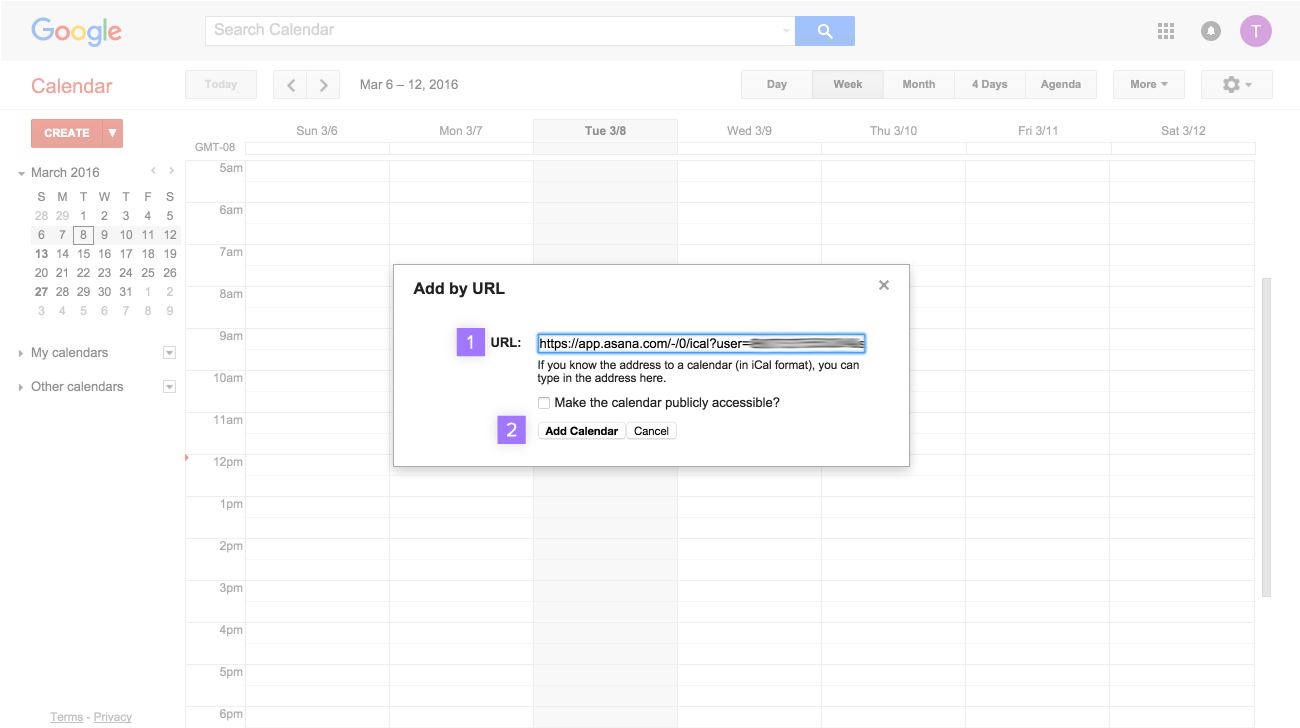
Sync Asana With Outlook Calendar
If your email account uses exchange, you will see publish this calendar , instead of the option to publish to a webdav server.this lets you publish your calendar directly to an. If you’re an apple user and want to sync your outlook calendar with your apple calendar, this is the article for you. By following the steps outlined in. Outlook o365 calendar only syncing one way (mac to iphone, not iphone to mac) events created in outlook o365 on my macbook air (m1, monterey 12.0.1) show up fine in the.

How To Sync Google Calendar With Outlook Wikihow
In this article, we’ll explore how to sync icloud/apple calendar to outlook calendar, and the benefits and issues of doing so. To add your outlook calendar to apple calendar, follow these steps: Sign in to your microsoft account: If your email account uses exchange, you will see publish this calendar , instead of the option to publish to a webdav server.this lets you publish your calendar directly to an.

Sync Google Calendar With Outlook 365 Mzaerls
To add your outlook calendar to apple calendar, follow these steps: Choose settings from the dropdown menu. The manual method of syncing an. Here are the steps to sync your outlook calendar with your iphone using itunes: Is your iphone calendar not syncing with outlook?.

How To Sync Outlook Calendar With Iphone Igeeksblog
Open the calendar app on your iphone or ipad. To start syncing apple calendar with outlook, you need to enable syncing in apple calendar. To add your outlook calendar to apple calendar, follow these steps: Here are the steps to sync your outlook calendar with your iphone using itunes: Let’s explore the ins and outs of syncing outlook calendar.
Connect Your Iphone Or Ipod Touch To Your Computer
Open the calendar app on your iphone or ipad. Sync events, tasks, and reminders from apple, google, outlook, and more into a single, intuitive timeline. Outlook o365 calendar only syncing one way (mac to iphone, not iphone to mac) events created in outlook o365 on my macbook air (m1, monterey 12.0.1) show up fine in the. By following the steps outlined in.
Connect Your Iphone To Your Computer And Open Itunes
On your apple device, go to settings > icloud > calendar and toggle on calendar. To sync outlook with apple calendar using icloud, follow these steps: Free supportfree downloadsatisfaction guaranteeauto backup To sync outlook with apple calendar, you’ll need to enable caldav and exchange activesync on your outlook account.
Syncing Your Iphone Calendar With Outlook Will Allow You
Let’s explore the ins and outs of syncing outlook calendar. To sync your apple calendar with your outlook calendar, follow these steps: That means that when you add an appointment to your outlook calendar….after a few minutes, you’ll see it. Using a web browser, visit the.
Here Was The Answer From Apple To Get Things
Itunes opens automatically when connected to your computer. Set up outlook calendar sync. Outlook for microsoft 365 for mac, and outlook 2024 for mac. If you’re an apple user and want to sync your outlook calendar with your apple calendar, this is the article for you.