 National Holiday Calendar
Syncing Ical To Google Calendar - Make sure you’ve selected the correct calendar and that the ical file is in the correct format (.ical).. Here are a few additional tips and variations to keep in mind: To sync ical with google calendar using caldav, follow these steps: Check out our ical viewer! Easily sync and manage your calendars across different platforms. Try our ical viewer now!
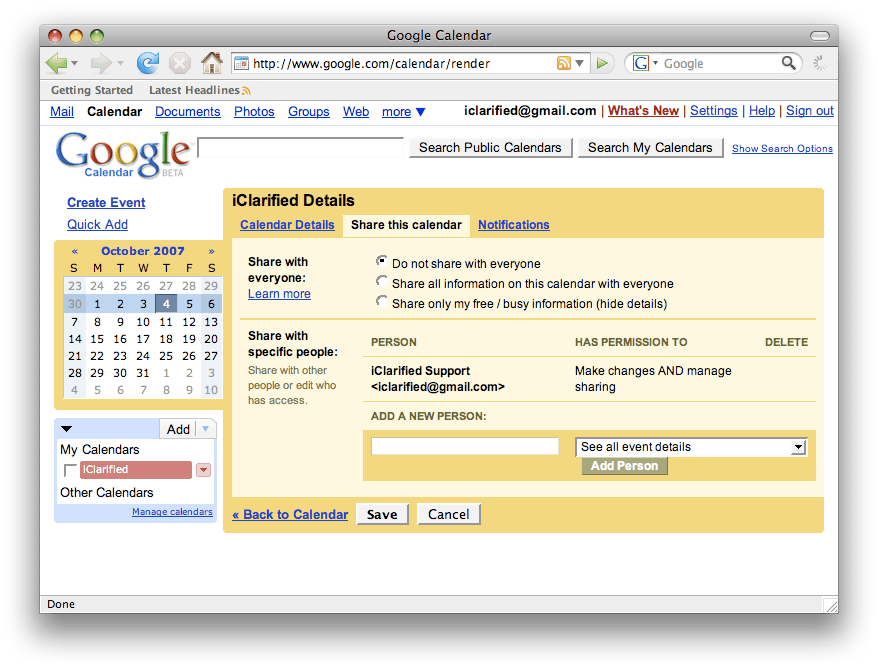
Sync Ical With Google Calendar Iclarified
Sync and manage your calendars effortlessly. Click the next ‘export’ option and. Syncing these two popular calendar platforms can help you stay organized and ensure that all your. Open your google calendar in. Importing ical files to google.

Sync Ical With Google Calendar Iclarified
If you're looking to sync your google calendar with ical, you've come to the right place. To synchronize your apple calendar with your google calendar, follow these steps: Check out our ical viewer! Google calendar will sync the calendar with your ical file. To sync ical with google calendar using caldav, follow these steps:

Syncing Apple Ical With Google Calendar »
Open your google calendar in. Click the + button to add. In this article, we will guide you through the process of adding ical to google calendar, making it easy to. Import, sync, and view your ical events in google calendar with ease. If you're looking to sync your google calendar with ical, you've come to the right place.

Google Calendar Not Syncing On Android? Top 7 Solutions
Start by opening google calendar on. Click the + button to add. Tap on [your name] > icloud. Go to ical’s preferences > accounts > add caldav account. Go to system preferences > internet accounts > add account >.

New Google Calendar Integration (2 Way Syncing)
Click the + button to add. Here are a few additional tips and variations to keep in mind: Learn how to easily convert ical files to google calendar and seamlessly sync your events across different platforms. To synchronize google calendar with your icalendar, following steps can be used. Import, sync, and view your ical events in google calendar with ease.
Google Calendar Will Sync The Calendar With Your Ical
Enable google calendar sync in ical: To connect ical to google calendar, follow these steps: Sync and manage your calendars effortlessly. Using icloud and google calendar.
Do You Want To Sync Your Ical Calendar
Start by opening google calendar on. Learn how to easily convert ical files to google calendar and seamlessly sync your events across different platforms. In this article, we will guide you through the process of syncing your ical calendar to google calendar, ensuring that you can easily manage your schedule and stay organized. Here are a few additional tips and variations to keep in mind:
Check Out Our Ical Viewer
Easily sync and manage your calendars across different platforms. To synchronize google calendar with your icalendar, following steps can be used. Make sure you’ve selected the correct calendar and that the ical file is in the correct format (.ical).. Syncing these two popular calendar platforms can help you stay organized and ensure that all your.
Enter Your Google Calendar Account Credentials, And Select Google
Enable caldav on your mac: Click on ical in the top menu bar and select preferences. Import, sync, and view your ical events in google calendar with ease. Click the + button to add.