 National Holiday Calendar
Todoist And Calendar Integration - To sync todoist with google calendar, follow these steps: Learn more about how to connect your calendar of choice with todoist. From $40/user/month (minimum 5 users) website : Best for crm and project management integration. Once you authorize the integration, tasks with a due date and/or time in todoist will automatically be added to a. Integrate with gmail or microsoft outlook to.

Todoist Introduces Deep Integration With Google Calendar, Launching
In this article, we'll explain how to set up. Integrate with gmail or microsoft outlook to. Connect todoist to google calendar, microsoft outlook, or apple calendar to sync your tasks and deadlines. The calendar integration brings your external calendar commitments. If you need to see all occurrences of a task, open your project, apply the calendar layout, and turn on future occurrences.
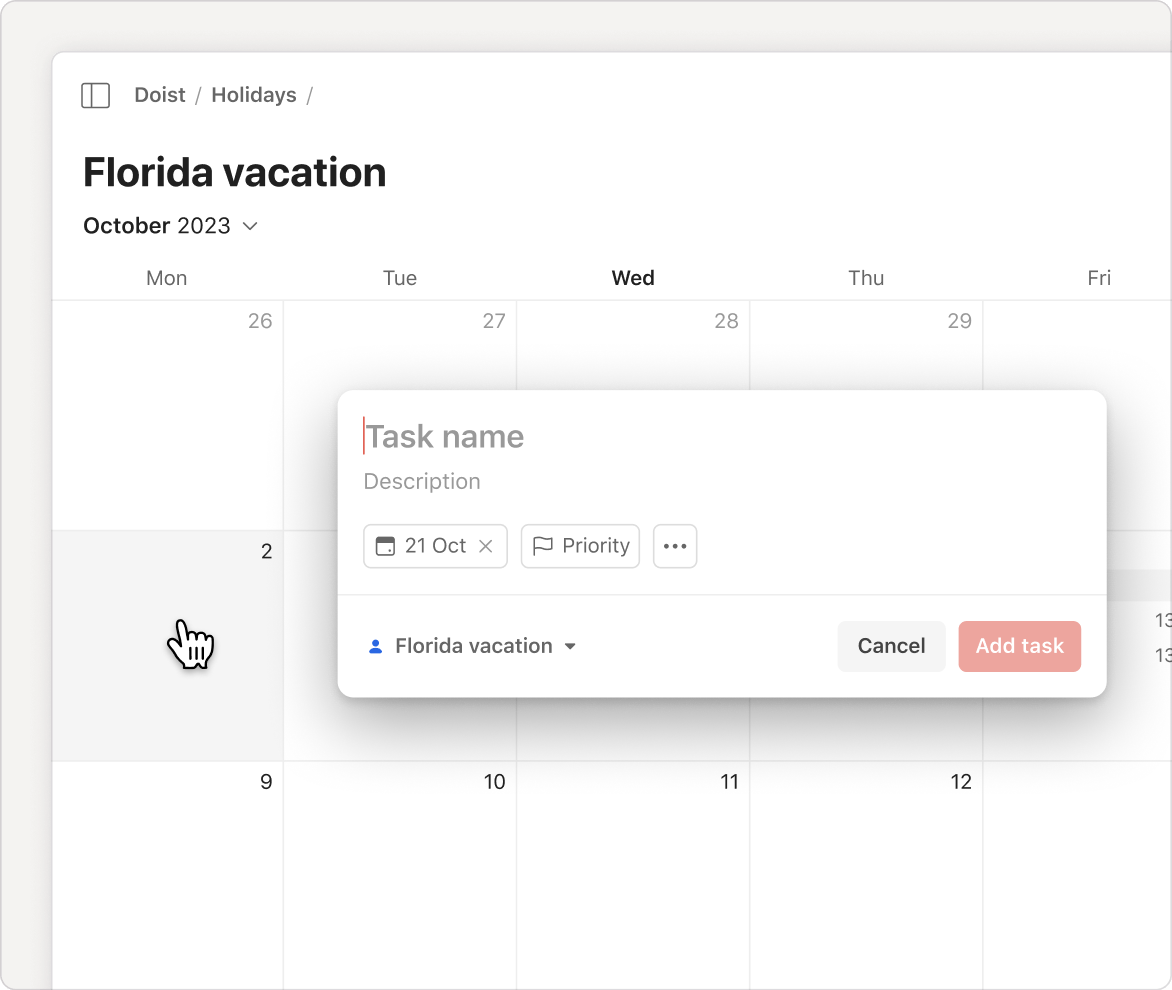
Use The Calendar Layout In Todoist
Learn more about integrations that help you automate your calendars with todoist. Huge thanks to todoist ambassador, leighton price,. Premier atlassian partnercustomized solutionsover 20 years experience Connect todoist to google calendar, microsoft outlook, or apple calendar to sync your tasks and deadlines. Integrate with gmail or microsoft outlook to.

Your Todoist Tasks + Email + Calendar = Stressfree
Huge thanks to todoist ambassador, leighton price,. You can also choose to receive notifications. Log in to your todoist account and go to settings >. Thankfully, for ios and mac users, it's easy to integrate todoist with the apple calendar. Once you've set up the integration, any tasks that you create in todoist will automatically be added to your apple calendar.

Adding Google Calendar Integration With Asana, Trello, And Todoist
Thankfully, for ios and mac users, it's easy to integrate todoist with the apple calendar. Huge thanks to todoist ambassador, leighton price,. Learn more about how to connect your calendar of choice with todoist. Best for crm and project management integration. If you need to see all occurrences of a task, open your project, apply the calendar layout, and turn on future occurrences.

Add A Todoist Calendar Feed
Integrate with gmail or microsoft outlook to. Should you want to integrate your entire todoist calendar app feed to. Thankfully, for ios and mac users, it's easy to integrate todoist with the apple calendar. If you need to see all occurrences of a task, open your project, apply the calendar layout, and turn on future occurrences. From $40/user/month (minimum 5 users) website :.
You Can Also Choose To Receive Notifications
Should you want to integrate your entire todoist calendar app feed to. Enable google calendar integration in todoist. Log in to your todoist account and go to settings >. The calendar integration brings your external calendar commitments.
Todoist And Google Calendar
Once you've set up the integration, any tasks that you create in todoist will automatically be added to your apple calendar. Todoist focuses on simple, efficient task. From $40/user/month (minimum 5 users) website : Connect todoist to google calendar, microsoft outlook, or apple calendar to sync your tasks and deadlines.
Once You Authorize The Integration
Integrate with gmail or microsoft outlook to. Learn more about integrations that help you automate your calendars with todoist. Learn more about how to connect your calendar of choice with todoist. Premier atlassian partnercustomized solutionsover 20 years experience
In This Article, We'll Explain How To Set Up
To sync todoist with google calendar, follow these steps: Thankfully, for ios and mac users, it's easy to integrate todoist with the apple calendar. Huge thanks to todoist ambassador, leighton price,. Best for crm and project management integration.