 National Holiday Calendar
Transfer Outlook Calendar - Ready to get your outlook calendar into excel? All fields from the outlook calendar source, including any fields added by outlook in the future. Select as per your needs. How do i transfer [full] ownership of one of my created outlook calendars to another staff member within the same organisation? In this instance, i need to transfer (not. Open the calendar pane in outlook.

How To Move All Calendar Items To Another Calendar
To transfer your calendar and contacts from an exchange account (typically used for work or school) to a personal account, but the process varies depending on the type of. 1, add the email account to the outlook app of your new computer. To export/import using ical (ics format, which is also compatible with most other calendar apps): If you have email, calendar, and contacts that you'd like to move over to your microsoft 365 account, follow these steps: Find the information you need to import to or exporting from outlook, whether you're using office 365, outlook 2016, or a mac.

Import A Calendar To Outlook
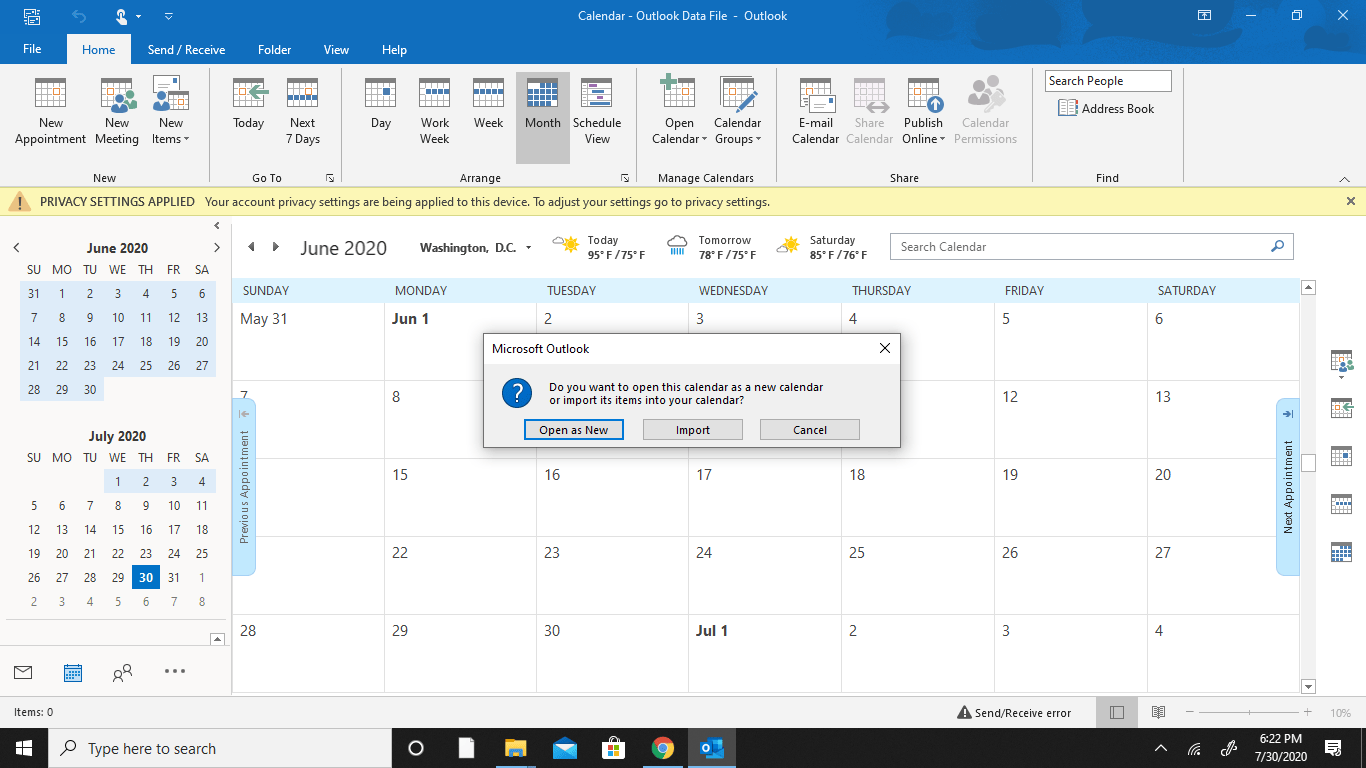
Migrating emails from outlook to thunderbird doesn’t have to be complicated. 1, add the email account to the outlook app of your new computer. Find the information you need to import to or exporting from outlook, whether you're using office 365, outlook 2016, or a mac. Your.ics file will open up in a new calendar. All fields from the outlook calendar source, including any fields added by outlook in the future.

How To Import Calendars In Microsoft Outlook Softwarekeep
Find the information you need to import to or exporting from outlook, whether you're using office 365, outlook 2016, or a mac. By enabling syncing between your simplepractice calendar and an external calendar, you acknowledge and agree to follow hipaa compliance requirements and. To transfer your calendar and contacts from an exchange account (typically used for work or school) to a personal account, but the process varies depending on the type of.
How To Transfer An Outlook Calendar To Another User
Open the calendar pane in outlook. 1.in outlook, in calendar, select a. Ready to get your outlook calendar into excel? Could you also try to clear calendar data in outlook and verify is the issue persist. Please kindly refer to the tutorial in this link below and follow the steps in it.

Import Outlook Calendar To Office 365 A Quick Guide
To import your calendar to outlook, you can follow these steps: In fact, if you are using microsoft mailbox and adding it through (exchange, outlook.com) on your old computer, you can add email addresses directly in outlook on the. In import and export wizard box, select import an icalendar (.ics) or vcalendar file (.vcs), and then next. On this page, you'll learn how to effectively migrate outlook to new computer or a new hard drive with automated easeus pctransfer software and manual method.
Calendar In Outlook
Your.ics file will open up in a new calendar. Open the calendar pane in outlook. The easiest way to transfer it is to create a new pst (new items>more items>outlook data file) and then drag. Ready to get your outlook calendar into excel?
You Can Follow The Steps Below
Read also how to move outlook calendar to thunderbird conclusion. Migrating emails from outlook to thunderbird doesn’t have to be complicated. Export an outlook calendar to ics format: 1, add the email account to the outlook app of your new computer.
If You Use Imap Or Pop
To export/import using ical (ics format, which is also compatible with most other calendar apps): Select the calendar file from. In this instance, i need to transfer (not. After clicking next, you’ll be presented with two sync options.
Are You Looking For A Way To Transfer
All fields from the outlook calendar source, including any fields added by outlook in the future. Transferring your outlook pop account to a new computer or laptop involves backing up and moving your stored emails, contacts, tasks, appointments, calendars, settings,. How do i transfer [full] ownership of one of my created outlook calendars to another staff member within the same organisation? In import and export wizard box, select import an icalendar (.ics) or vcalendar file (.vcs), and then next.