 National Holiday Calendar
Trello Google Calendar Integration - Connect your trello board to your google calendar and never miss a deadline. Any new cards or changes to existing ones will appear in your google calendar in under a minute. In this article, we'll show you how to set up this kind of trello google calendar integration, in two different ways: Sync trello with google calendar using zapier. Only cards with filled start or due date are synced to the calendar. You can do it in three simple steps:
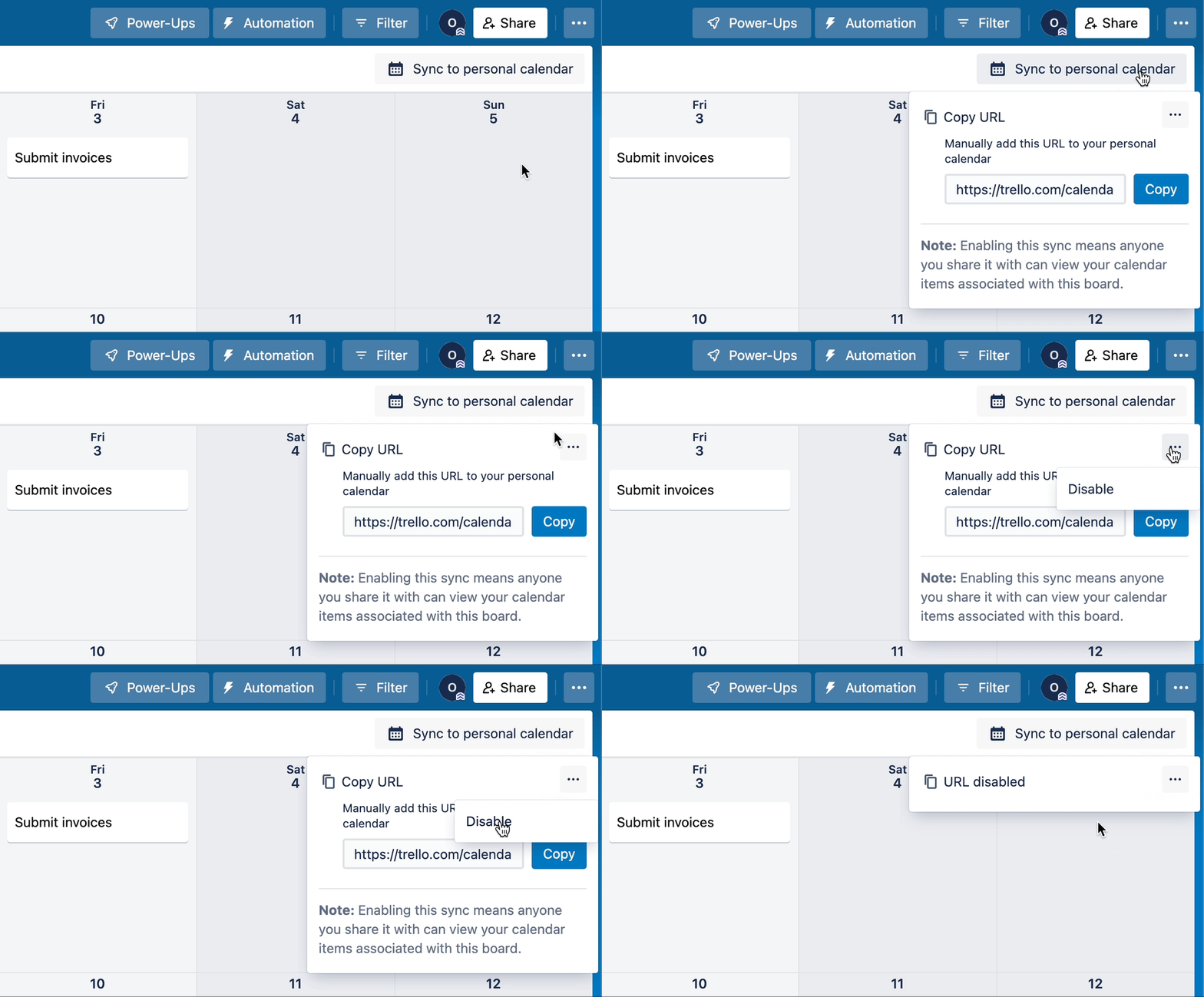
Use Trello With Google Calendar Trello Atlassian Support
Planyway is a powerful trello plugin that lets you visualize trello workflow on the calendar or timeline view. Any new cards or changes to existing ones will appear in your google calendar in under a minute. Track trello due dates in google calendar by adding your board’s calendar link. In this article, we’re going to share the best 6 apps to set up integration between trello and google calendar, so you can access your project plan and event schedule at the same place.

Introducing Trello For Google Slides
Track trello due dates in google calendar by adding your board’s calendar link. You can also decide whether to sync all cards or only those assigned to specific users. Sync trello with google calendar using zapier. In this article, we'll show you how to set up this kind of trello google calendar integration, in two different ways: Planyway is a powerful trello plugin that lets you visualize trello workflow on the calendar or timeline view.

Trellogooglecalendarintegrationbody2
Planyway is a powerful trello plugin that lets you visualize trello workflow on the calendar or timeline view. Sync updates & never miss a deadline. In this article, we'll show you how to set up this kind of trello google calendar integration, in two different ways: How to enable and use time slot calendar in trello. You can do it in three simple steps:.

Trellogooglecalendarintegrationbody3
Only cards with filled start or due date are synced to the calendar. Track trello due dates in google calendar by adding your board’s calendar link. Connect your trello board to your google calendar and never miss a deadline. Planyway is a powerful trello plugin that lets you visualize trello workflow on the calendar or timeline view. It's a simple integration that helps you stay on the right track with all dated tasks present in your boards.

Trello And Google Drive An Integration Made In Office
Open a trello board, go to board settings, and under connectors, select connect calendar. choose to create a new calendar for placker or use an existing one. Track trello due dates in google calendar by adding your board’s calendar link. In this article, we'll show you how to set up this kind of trello google calendar integration, in two different ways: Connect your trello board to your google calendar and never miss a deadline.
You Can Do It In Three Simple Steps
In this article, we’re going to share the best 6 apps to set up integration between trello and google calendar, so you can access your project plan and event schedule at the same place. Any new cards or changes to existing ones will appear in your google calendar in under a minute. Only cards with filled start or due date are synced to the calendar. This is quick to set up, but not customizable.
Connect Your Trello Board To Your Google Calendar
You can also decide whether to sync all cards or only those assigned to specific users. Planyway is a powerful trello plugin that lets you visualize trello workflow on the calendar or timeline view. Open a trello board, go to board settings, and under connectors, select connect calendar. choose to create a new calendar for placker or use an existing one. In this article, we'll show you how to set up this kind of trello google calendar integration, in two different ways:
It's A Simple Integration
How to enable and use time slot calendar in trello. Sync trello with google calendar using zapier. Track trello due dates in google calendar by adding your board’s calendar link. Sync updates & never miss a deadline.