 National Holiday Calendar
Unshare Calendar Outlook - To unshare an outlook calendar, follow these steps: First, open outlook and navigate to the calendar view. Unsharing a calendar in outlook is a straightforward process. Click the remove icon next to each name that you want to remove from the sharing list. Unshare a calendar from the calendar. Now, you’ve accessed the calendar sharing settings.

Unshare Calendar In Outlook Stepbystep Guide
Open outlook and go to the calendar view. To unshare a calendar in outlook, you can follow these simple steps: To stop sharing your calendar follow the steps mentioned below: In the share your calendar with friends and family section. To stop sharing your outlook calendar, follow these steps:
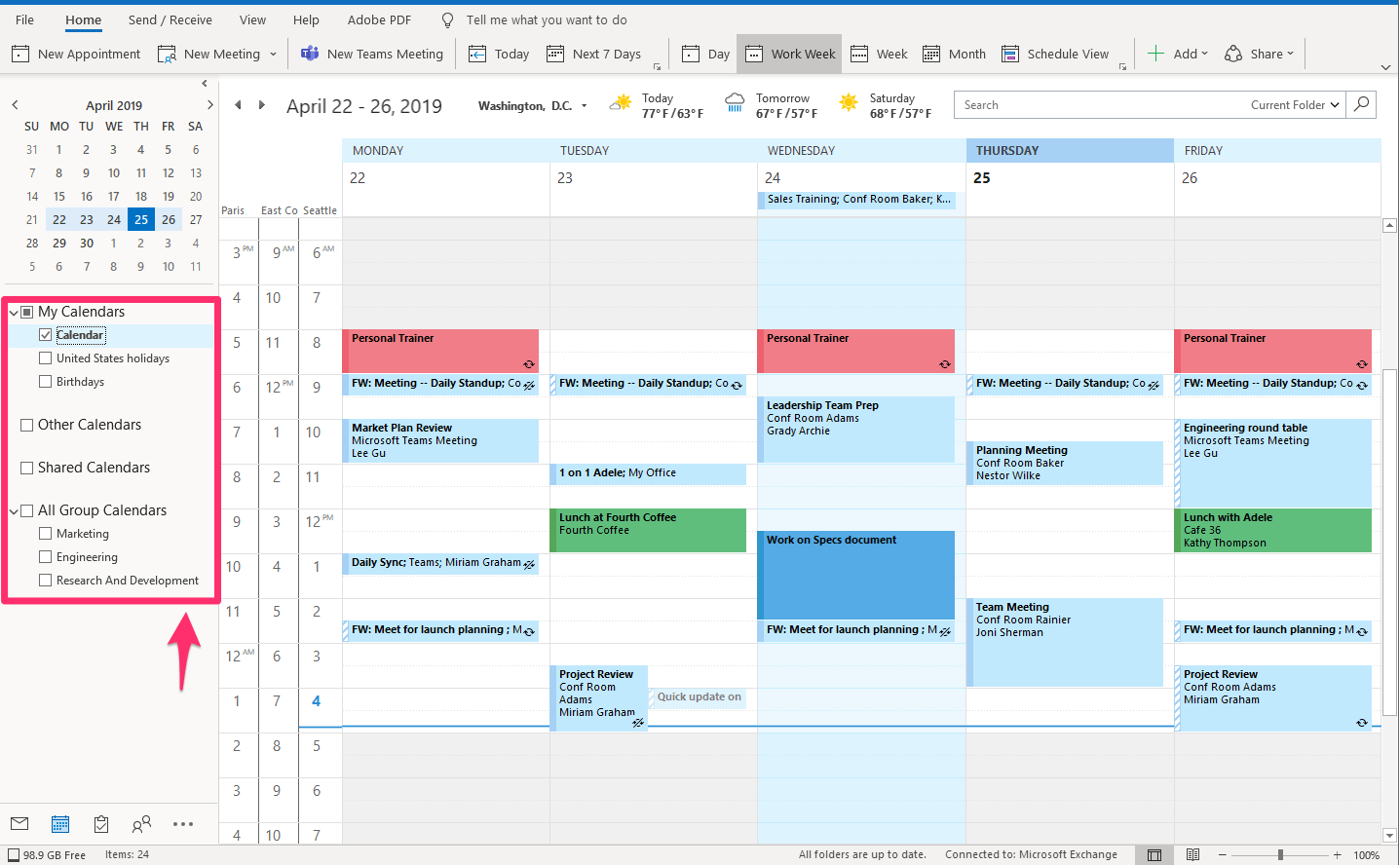
Outlook Unshare Calendar Jonis Mahalia
Unsharing a calendar can help you: Unsharing an outlook calendar is a straightforward process that can be completed in a few steps. To unshare a calendar in outlook, navigate to the calendar’s properties, locate the share settings, and revoke access permissions. Unshare a calendar from the calendar. To unshare an outlook calendar, follow these steps:

Unshare Outlook Calendar Printable Word Searches
To unshare an outlook calendar, follow these steps: Click the remove icon next to each name that you want to remove from the sharing list. Unsharing a calendar in outlook is a straightforward process. Before we dive into how to unshare a calendar in outlook, let’s cover some reasons why you might want to do so. Unshare a calendar from the calendar.

Unshare Calendar In Outlook Stepbystep Guide
You can unshare an outlook calendar on outlook’s desktop, web, and mobile app. As you are the owner of the calendar, unfortunately you cannot remove yourself from the list of shared people. Find the calendar you want. Unsharing a calendar can help you: First, open outlook and navigate to the calendar view.

Unshare Calendar In Outlook Stepbystep Guide
Here is how you can remove a shared calendar from the outlook desktop app: As you are the owner of the calendar, unfortunately you cannot remove yourself from the list of shared people. To unshare an outlook calendar, follow these steps: To stop sharing your calendar follow the steps mentioned below: To unshare a calendar in outlook, navigate to the calendar’s properties, locate the share settings, and revoke access permissions.
Find The Calendar You Want
In the share your calendar with friends and family section. How to unshare a calendar in outlook. Removing a shared calendar in outlook is a straightforward process, and by following the steps outlined in this article, you can successfully unshare a calendar and regain. Open outlook and go to the calendar view.
How To Unshare A Calendar
First, open outlook and navigate to the. Here’s how to do it: To unshare a calendar in outlook, you can follow these simple steps: You can change the permissions you’ve set for a calendar, or revoke them completely, by going to the calendar navigation pane at the side.
First, Open Outlook And Navigate To The Calendar View
You can unshare an outlook calendar on outlook’s desktop, web, and mobile app. Let’s look at how this is done. Log in to your outlook account. To unshare an outlook calendar, follow these steps:
Unshare A Calendar From The Calendar
Removing a shared calendar in outlook is a relatively straightforward process. As you are the owner of the calendar, unfortunately you cannot remove yourself from the list of shared people. It’s a straightforward process and allows you. Unsharing an outlook calendar is a straightforward process that can be completed in a few steps.