 Photo Release Forms
Create A Fillable Form In Word - Creating interactive forms in word is easy with this microsoft word form tutorial. You’ll need to have word set up on your computer before you can start. This guide will walk you through the. Learn how to create a fillable form in word in 6 easy steps using the developer tab and content controls. This wikihow will teach you how to insert fillable fields in word on a windows pc or mac. Perfect for surveys, applications, and more!

How To Create A Fillable Form In Word Customguide
Learn how to create a fillable form in word in 6 easy steps using the developer tab and content controls. Simplify data collection and enhance document interactivity effortlessly! You’ll need to have word set up on your computer before you can start. Quick guide to build interactive forms users can complete digitally. From adding fields to customizing your layout, transform your documents today!

Complete Instruction On How To Create Fillable Pdf
Fillable forms are essential for gathering structured data efficiently, whether for surveys, job applications, or. Then you can add content controls. Learn how to create a fillable form in word in 6 easy steps using the developer tab and content controls. To do this, you will start with baseline content in a document, potentially via a form template. From adding fields to customizing your layout, transform your documents today!

How To Create A Fillable Form In Word
Quick guide to build interactive forms users can complete digitally. You'll also need to enable. This guide will walk you through the. Creating interactive forms in word is easy with this microsoft word form tutorial. Then you can add content controls.

How To Create A Fillable Form In Word
To do this, you will start with baseline content in a document, potentially via a form template. You'll also need to enable. Perfect for surveys, applications, and more! Then you can add content controls. Creating interactive forms in word is easy with this microsoft word form tutorial.
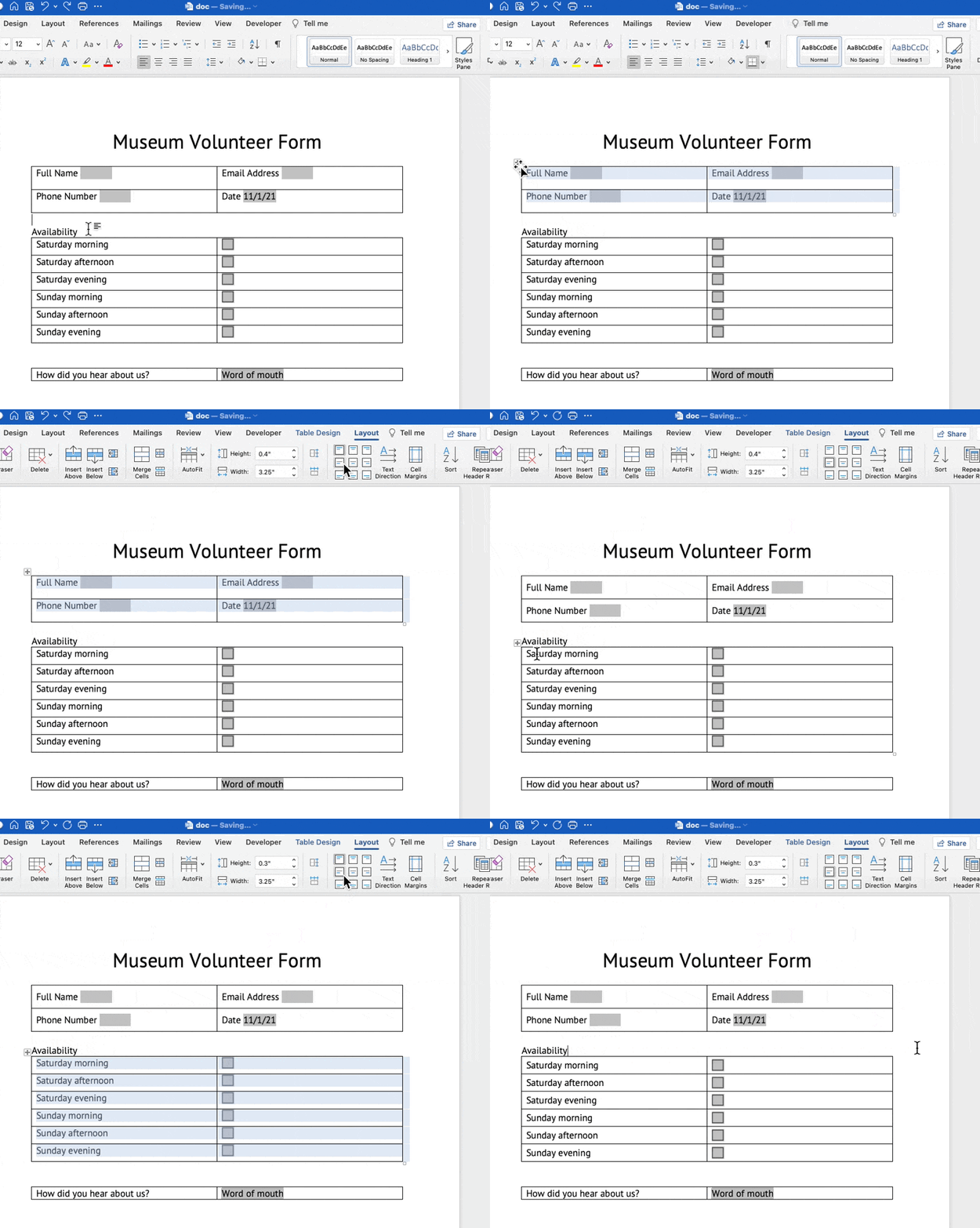
How To Create A Fillable Form In Word
This guide will walk you through the. Perfect for surveys, applications, and more! You’ll need to have word set up on your computer before you can start. Microsoft word's fillable forms are an essential tool for creating documents that require user input, such as surveys, applications, or registration forms. To do this, you will start with baseline content in a document, potentially via a form template.
This Guide Will Walk You Through The
Quick guide to build interactive forms users can complete digitally. You’ll need to have word set up on your computer before you can start. This wikihow will teach you how to insert fillable fields in word on a windows pc or mac. To do this, you will start with baseline content in a document, potentially via a form template.
Microsoft Word's Fillable Forms Are An Essential Tool
From adding fields to customizing your layout, transform your documents today! Then you can add content controls. Perfect for surveys, applications, and more! Learn how to create a fillable form in word in 6 easy steps using the developer tab and content controls.
Fillable Forms Are Essential For Gathering Structured Data Efficiently
Simplify data collection and enhance document interactivity effortlessly! In word, you can create a form that others can fill out and save or print. Creating interactive forms in word is easy with this microsoft word form tutorial. You'll also need to enable.