 Photo Release Forms
How To Make A Copy Of A Google Form - Learn how to create a copy of your existing google form and make edits without affecting the original. Create a folder somewhere in your google drive. This tutorial walks through duplicating forms, renaming them, and safely. This comprehensive guide will walk you through the process of copying a google form step by step. Sign into your google account on the forms page. We’ll cover various methods suitable for different scenarios, including copying within.

Google Forms Make A Copy At Samuel Truelove Blog
Select make a copy . Follow the instructions to create your own forms in no time. Learn how to create a copy of your existing google form and make edits without affecting the original. Right click the folder, and go to share > share. Open the form you want to copy.

How To Share Google Forms
We’ll cover various methods suitable for different scenarios, including copying within. Learn how to create a copy of your existing google form and make edits without affecting the original. Right click the folder, and go to share > share. Learn how to copy a google form without losing structure. Select make a copy .
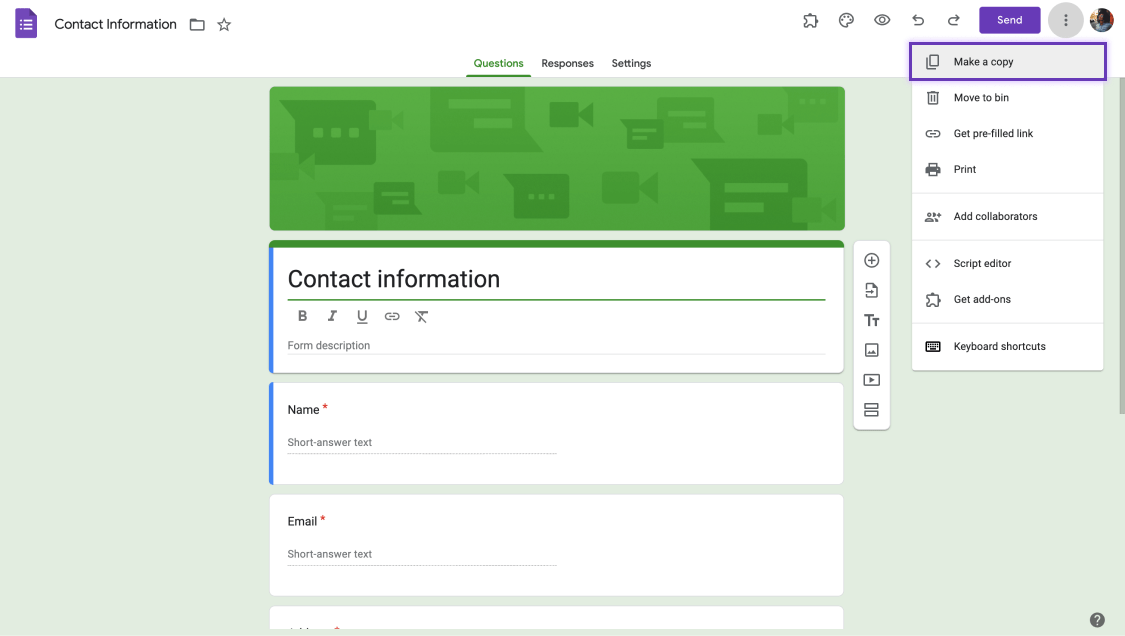
How To Copy A Form On Google Forms (Stepbystep)
Sign into your google account on the forms page. Create a folder somewhere in your google drive. This tutorial walks through duplicating forms, renaming them, and safely. We’ll cover various methods suitable for different scenarios, including copying within. Open the form you want to copy.

How To Copy A Google Form
Create a folder somewhere in your google drive. Right click the folder, and go to share > share. Select make a copy . Learn how to copy a google form without losing structure. We’ll cover various methods suitable for different scenarios, including copying within.
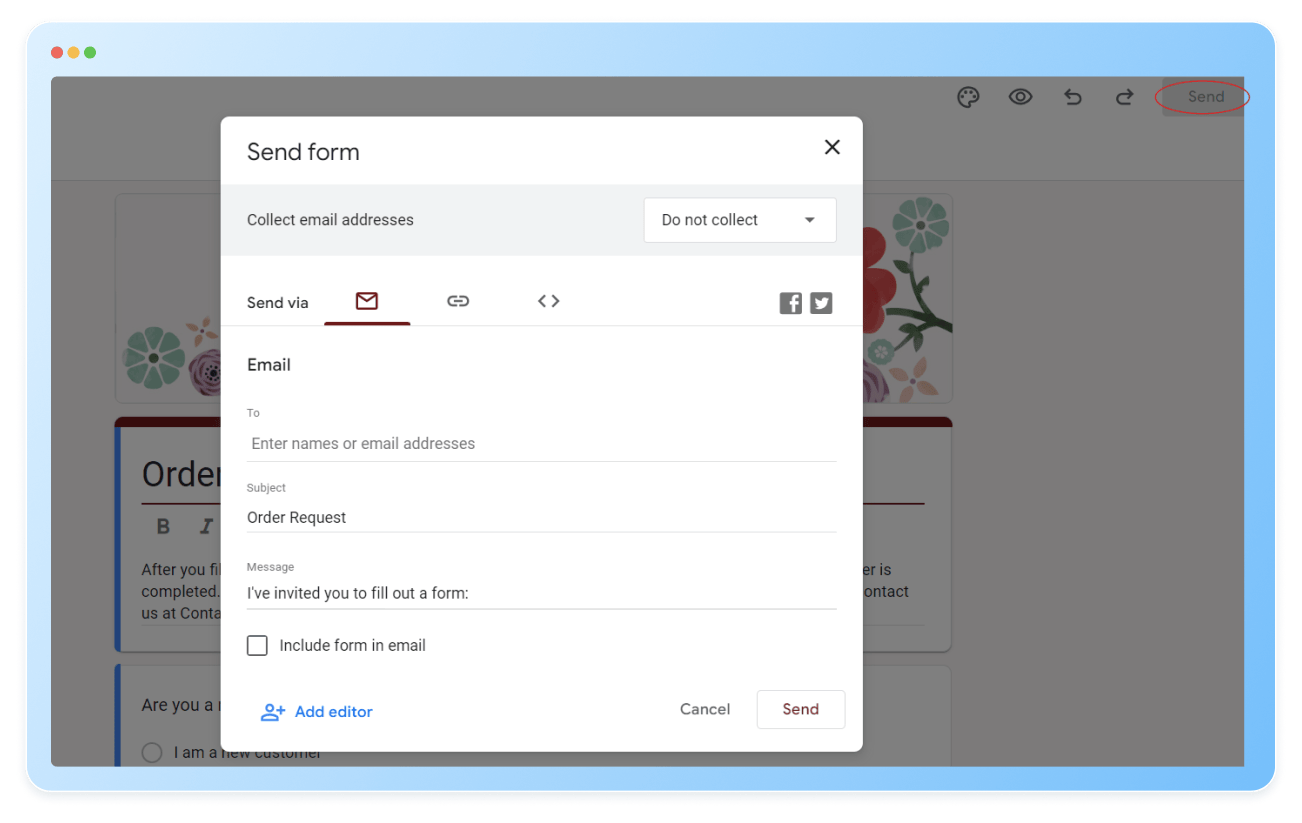
How To Copy A Google Form 123Formbuilder Blog
In this tutorial, i'll show you exactly how to make a copy in. Whether you're building templates or running the same survey again, duplicating a form takes just a few clicks. Open the google form that you want to copy. Open the form you want to copy. We’ll cover various methods suitable for different scenarios, including copying within.
Open The Google Form That You Want To Copy
Create a folder somewhere in your google drive. Whether you're building templates or running the same survey again, duplicating a form takes just a few clicks. We’ll cover various methods suitable for different scenarios, including copying within. Sign into your google account on the forms page.
This Tutorial Walks Through Duplicating Forms
Follow the instructions to create your own forms in no time. This comprehensive guide will walk you through the process of copying a google form step by step. In this tutorial, i'll show you exactly how to make a copy in. Learn how to copy a google form without losing structure.
Share A Google Form
Open the form you want to copy. Select make a copy . Change the name of the copied form or its location. Learn how to create a copy of your existing google form and make edits without affecting the original.