 Loan Agreement Templates
Excel Workflow Template - The workflow could automatically add the forms responses. Use create.microsoft.com to find and download free excel for the web templates. The flowchart templates include shapes you can use to show many kinds of processes. Each workflow that you add is a unique version of the basic collect signatures workflow, each with its own. A flow chart shows sequential steps in a task or process. With an office 365 subscription and the latest version of office, you can start with a sample data table in excel and.

Workflow Template Excel
This guide will walk you through the process of setting up an automated workflow between microsoft forms and excel using power automate. For more information, see create a data visualizer diagram. Using this template, you can add one or more collect signatures workflows to your sites. You can do this by using the data visualizer templates. There are many different smartart layouts that you can use to illustrate the steps in a process, including layouts that can contain pictures.

Excel Workflow Template Workflow Chart Template In Excel, Google
This guide will walk you through the process of setting up an automated workflow between microsoft forms and excel using power automate. Download free excel templates for calendars, invoices, budgeting, and more. Use create.microsoft.com to find and download free excel for the web templates. You can do this by using the data visualizer templates. A flow chart shows sequential steps in a task or process.

Workflow Spreadsheet Template For Weekly Calendar Template Excel Unique
Start from the microsoft lists app, microsoft teams, or sharepoint using a template, excel file, or from scratch. A flow chart shows sequential steps in a task or process. Using this template, you can add one or more collect signatures workflows to your sites. You can do this by using the data visualizer templates. Open the basic flowchart template select file > new.

Workflow Template Excel
You can do this by using the data visualizer templates. This guide will walk you through the process of setting up an automated workflow between microsoft forms and excel using power automate. For more information, see create a data visualizer diagram. This article discusses the list templates that are included with microsoft 365. Would you like to automatically create a detailed, polished visio flowchart from an excel workbook?
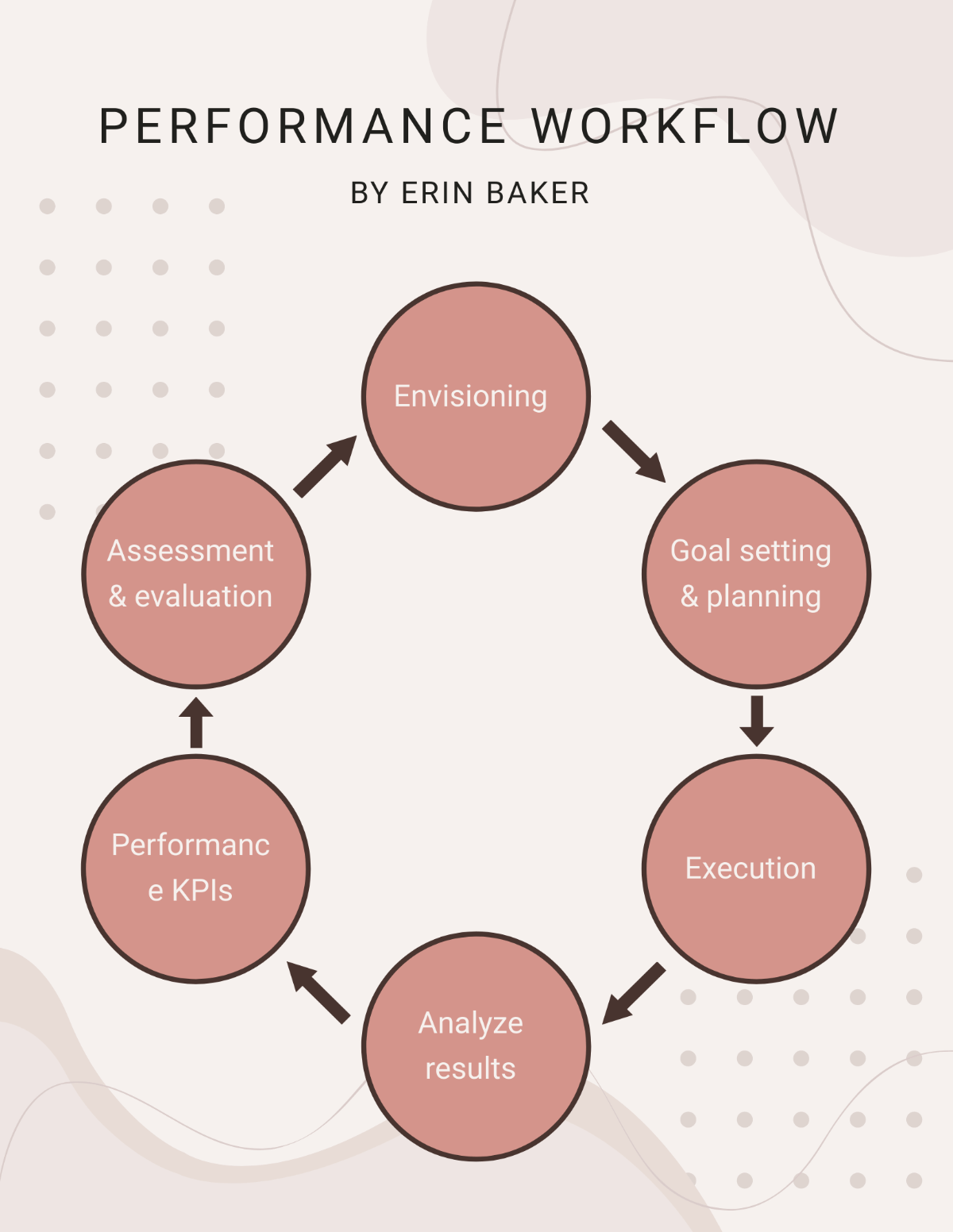
Open the basic flowchart template select file > new. This article discusses the list templates that are included with microsoft 365. Use create.microsoft.com to find and download free excel for the web templates. There are many different smartart layouts that you can use to illustrate the steps in a process, including layouts that can contain pictures. Each template has an associated excel workbook.
Open The Basic Flowchart Template Select File > New
Each template has an associated excel workbook. Use create.microsoft.com to find and download free excel for the web templates. You can do this by using the data visualizer templates. A flow chart shows sequential steps in a task or process.
Start From The Microsoft Lists App
For more information, see create a data visualizer diagram. The workflow could automatically add the forms responses. There are many different smartart layouts that you can use to illustrate the steps in a process, including layouts that can contain pictures. Using this template, you can add one or more collect signatures workflows to your sites.
Download Free Excel Templates For Calendars
Each workflow that you add is a unique version of the basic collect signatures workflow, each with its own. With an office 365 subscription and the latest version of office, you can start with a sample data table in excel and. The flowchart templates include shapes you can use to show many kinds of processes. Would you like to automatically create a detailed, polished visio flowchart from an excel workbook?
This Guide Will Walk You Through The Process
This article discusses the list templates that are included with microsoft 365.