 Loan Agreement Templates
Save A Template In Powerpoint - Learn how to find your custom templates created with earlier versions of office and access a custom templates location. You can change the default theme to a theme that is included with powerpoint or a theme that you've created yourself. To create a template, you'll need to modify a slide master. Save a presentation with a theme (slide design) applied, and save it as a template (.potx file). On the file tab, click new. If you want to save this as a template to reuse again, select file > save as (or save a copy), change the file type to template, enter a file name, and select save.

Save Powerpoint Template As Theme Toptemplate.my.id
If you want to save this as a template to reuse again, select file > save as (or save a copy), change the file type to template, enter a file name, and select save. Even if you have existing slides, we recommend that you apply a template to it by starting fresh with the template and then importing the existing slides into the new, fresh template.

Save Powerpoint Template As Theme
To open.potx format powerpoint template in powerpoint for the web take these steps: On the file tab, click new. In desktop powerpoint (windows or mac), open the file and do file > save as. If you want to save this as a template to reuse again, select file > save as (or save a copy), change the file type to template, enter a file name, and select save.

How To Save Powerpoint Template Toptemplate.my.id
When you create a presentation and then save it as a powerpoint template (.potx) file, you can share it with your colleagues and reuse it again. To create a template, you'll need to modify a slide master. If you want to save this as a template to reuse again, select file > save as (or save a copy), change the file type to template, enter a file name, and select save.

Save Powerpoint Template As Theme
(the name varies, depending on circumstance.) tip: To create a template, you'll need to modify a slide master. You can change the default theme to a theme that is included with powerpoint or a theme that you've created yourself. In the save chart template dialog box, in the save as box, type an appropriate name for the template. When you create a presentation and then save it as a powerpoint template (.potx) file, you can share it with your colleagues and reuse it again.
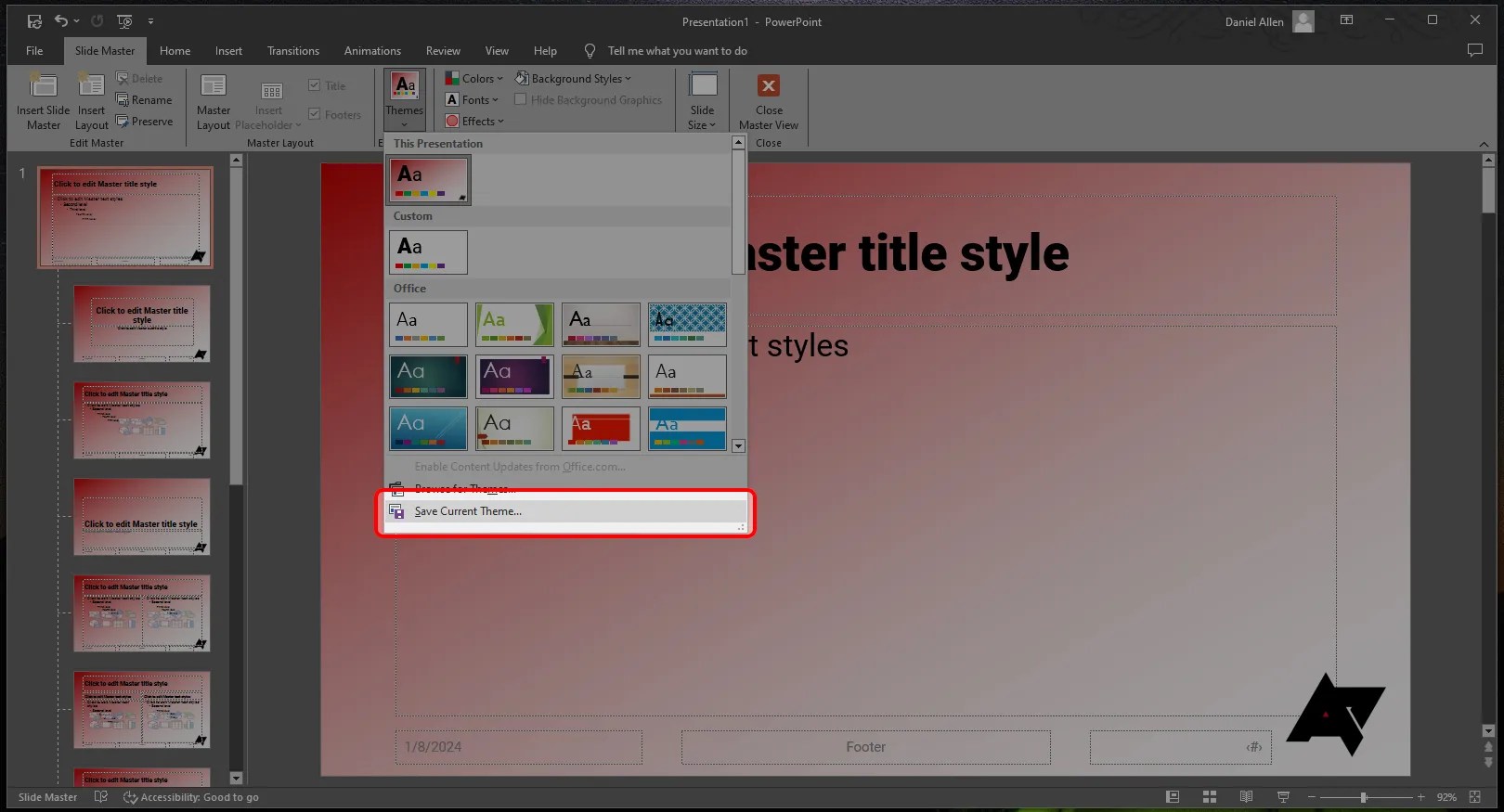
Save Powerpoint Template As Theme
(the name varies, depending on circumstance.) tip: You can change the default theme to a theme that is included with powerpoint or a theme that you've created yourself. If you want to use a template you've saved for your next presentation, here's how. Save a presentation with a theme (slide design) applied, and save it as a template (.potx file).
Save A Presentation With A Theme (Slide Design) Applied
(the name varies, depending on circumstance.) tip: To create a template, you'll need to modify a slide master. On the file tab, click new. Change the type of the file to.
You Can Change The Default Theme To A Theme
If you want to save this as a template to reuse again, select file > save as (or save a copy), change the file type to template, enter a file name, and select save. In desktop powerpoint (windows or mac), open the file and do file > save as. When you create a presentation and then save it as a powerpoint template (.potx) file, you can share it with your colleagues and reuse it again. To create a template, you'll need to modify a slide master.
Even If You Have Existing Slides
Learn how to find your custom templates created with earlier versions of office and access a custom templates location. If you want to use a template you've saved for your next presentation, here's how. When you create a presentation and then save it as a powerpoint template (.potx) file, you can share it with your colleagues and reuse it again. In the save chart template dialog box, in the save as box, type an appropriate name for the template.