 TikTok Trend Analysis
How To Enable Messages On Tiktok - By following the steps outlined in this article, you should be able to enable. If you want to send messages on tiktok, you can enable the feature in your account. In conclusion, turning on messages on tiktok is a simple process, and we have covered two methods to help you do so. In this article, we will walk you through the process of enabling messages on tiktok and provide some tips for using the messaging feature effectively. To enable direct messages, you need to make sure you’re running the latest version of. Turning on tiktok messages is a simple process that allows you to communicate with your friends and followers in a more personal way.
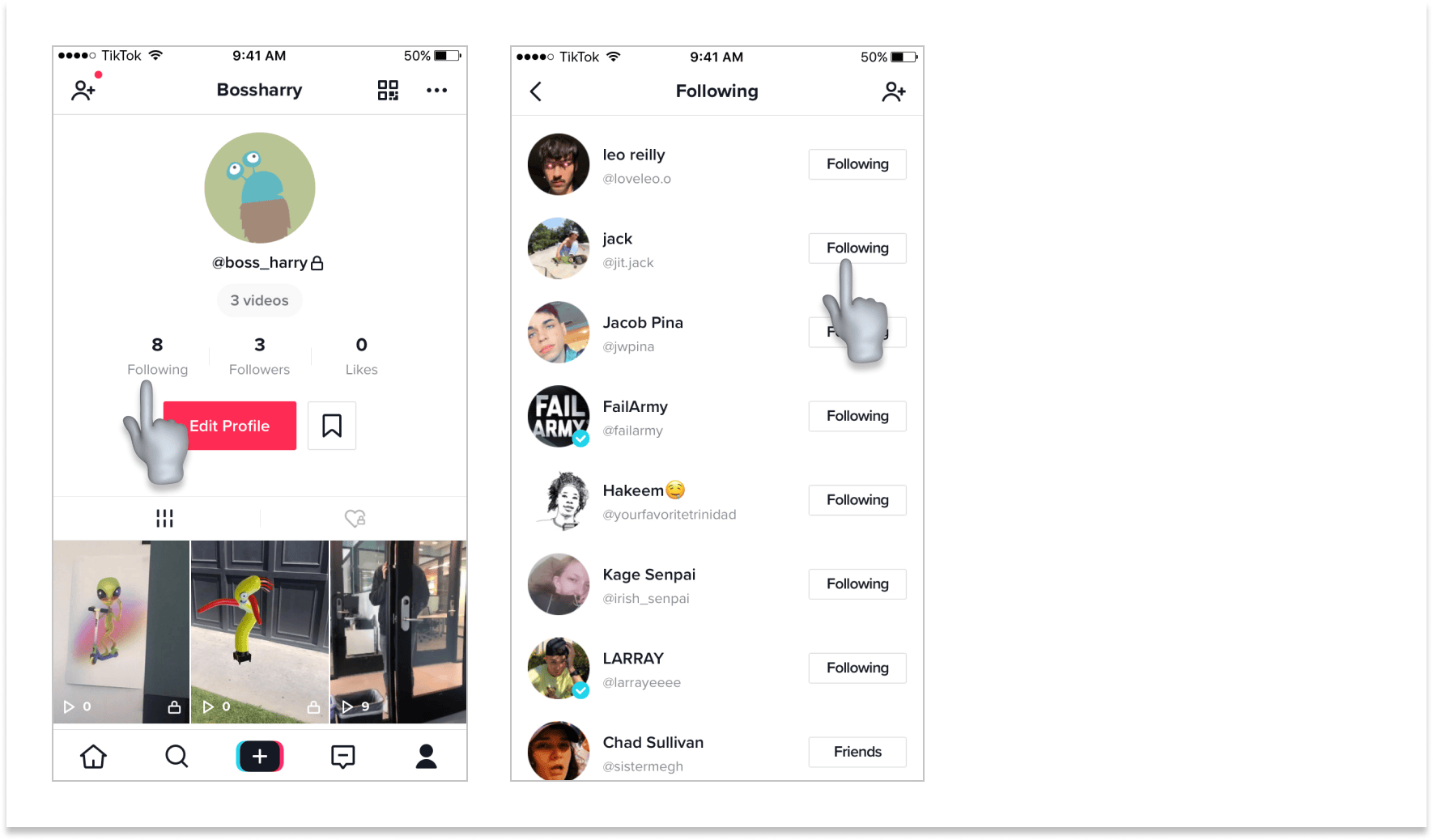
Tiktok Parental Guide Tiktok Newsroom
Navigate to settings > tiktok and click connect. By following the steps outlined in this article, you should be able to enable. To enable direct messaging on tiktok, go to your profile, tap the three dots in the top right corner, select privacy and safety, then toggle on the private account option. To enable direct messages on tiktok, follow these steps: In the tiktok app, tap inbox at the bottom.

How To Fix Tiktok Messages Not Working
You cannot send photos or any other media that does. In conclusion, turning on messages on tiktok is a simple process, and we have covered two methods to help you do so. Tiktok has a direct messaging feature that allows you to send messages, tiktok videos, gifs, and stickers to your friends. To enable direct messaging on tiktok, go to your profile, tap the three dots in the top right corner, select privacy and safety, then toggle on the private account option.

Why Did My Tiktok Messages Disappear? Techcult
Want to send direct messages (dms) to your friends and followers on tiktok? In conclusion, turning on messages on tiktok is a simple process, and we have covered two methods to help you do so. To enable direct messages on tiktok, follow these steps: By following these steps and tips, you. • send and receive messages with mutual followed friends, suggested friends and contacts, and people you may know.

You Can Like Messages On Tiktok Wlfa
First, open the tiktok app on your mobile device. To enable messages on tiktok, follow these steps: Tiktok lets you change the way messaging works on the app, which is a nice way to control how open you want your dms to be on the app. Once you’ve signed up or logged in, click the open tiktok button: One of the recent updates introduced by tiktok is the ability to send direct messages (dms) to other users.

How To Send Messages On Tiktok
To turn on tiktok’s messaging feature, follow these easy steps: Tap on the profile icon located at. In this video, i'll show you how to enable dms on tiktok. Tiktok lets you change the way messaging works on the app, which is a nice way to control how open you want your dms to be on the app. Go to your profile by tapping the “me” icon in the bottom right corner.
Messaging Means You Can Send And Receive Messages
Go to your profile by tapping the “me” icon in the bottom right corner. Open the tiktok app on your mobile device. • share tiktok videos with others. In this article, we will walk you through the process of enabling messages on tiktok and provide some tips for using the messaging feature effectively.
Tiktok Was Offline In The United States
Follow the prompts to connect your tiktok account. Turning on tiktok messages is a simple process that allows you to communicate with your friends and followers in a more personal way. To enable direct messages, you need to make sure you’re running the latest version of. By following the steps outlined in this article, you should be able to enable.
To Turn On Tiktok’s Messaging Feature
If you want to send messages on tiktok, you can enable the feature in your account. Tap on the profile icon located at. However, this feature is not enabled by default, and users. To enable messages on tiktok, follow these steps:
Navigate To Settings > Tiktok And Click Connect
By following the steps outlined in this article, you can enable direct messaging on tiktok and start communicating with your followers and other users on the platform. Want to send direct messages (dms) to your friends and followers on tiktok? By doing so, you can increase engagement, build a. Enabling direct messages on tiktok is a straightforward process.