 TikTok Trend Analysis
How To Turn Off Viewing Profiles On Tiktok - Tap the gear icon to view the. Making an account private ensures that no one can see your content unless you. You can easily turn off the feature to prevent your username from appearing on others’. How to manage tiktok profile views, turn off profile views on tiktok, check profile views on tiktok, know your. Tap on the eye icon at the top right corner. Turning off profile view history means you won't see who has viewed your profile, and others won't see that you've viewed theirs.

How To Turn Off Views On Tiktok? Detailed Steps
How to turn profile views off on tiktok? Tap the menu button at the top, and select settings and privacy. First, open the tiktok app on your mobile device. Here’s how to do it: Turning off profile views on tiktok is a simple process.

Tiktok How To Turn Off Daily Tiktok Now Push
How to turn off profile views on tiktok. No, tiktok doesn’t allow users to view the content of private accounts without permission. Here’s how to do it: To turn off your tiktok views, open your tiktok app and tap profile at the bottom. Tap the profile icon on tiktok to go to your profile.
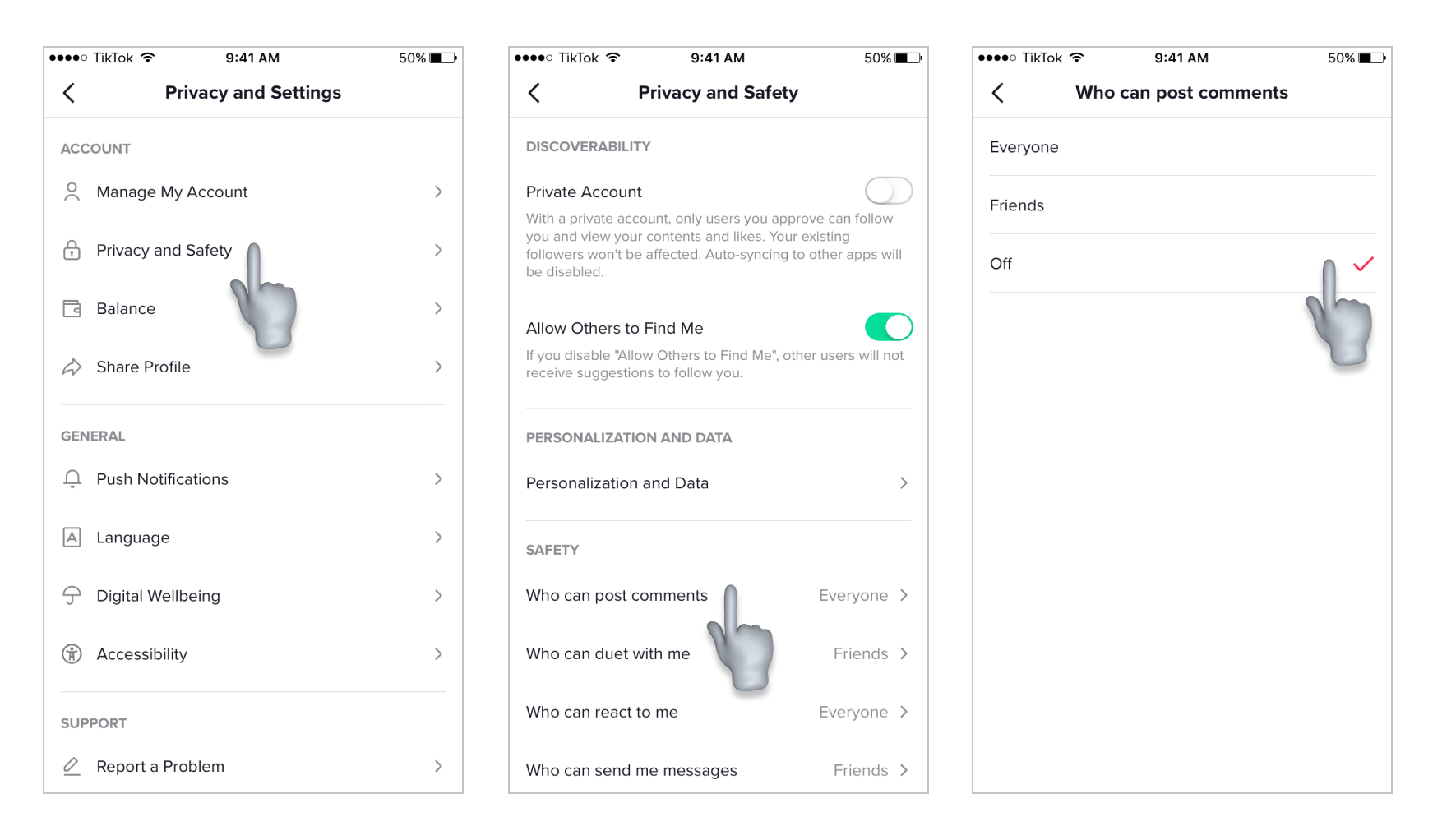
Tiktok Parental Guide Tiktok Newsroom
No, tiktok doesn’t allow users to view the content of private accounts without permission. How to turn profile views off on tiktok? No matter the reason, rest assured that you can turn tiktok profile views on or off in two ways: Open tiktok and go to your profile page. Here’s how to do it:

How To Turn Off Profile Views On Tiktok
I'll show you how to turn off profile views on tiktok so you can browse in peace. Open tiktok and go to the me tab at the bottom of the screen. In the culinary world, tiktok sent feta cheese and, later, cucumbers flying off the shelves as home cooks clamored to recreate viral recipes. Tap the profile icon on tiktok to go to your profile.

How To Turn Off Profile Views On Tiktok (2
No, tiktok doesn’t allow users to view the content of private accounts without permission. To turn off viewing profiles on tiktok, follow these simple steps: Why turn off profile views on tiktok? First, open the tiktok app on your mobile device. You can easily turn off the feature to prevent your username from appearing on others’.
How To Manage Tiktok Profile Views
Go to settings and privacy, tapping privacy and then profile views. Here’s how to do it: Open tiktok and go to your profile page. Turning off profile view history means you won't see who has viewed your profile, and others won't see that you've viewed theirs.
One, You Can Change It Through The Privacy Setting
Through your settings or your profile views page. You can quickly turn off your profile view history in two ways. You have learned how to turn off profile views on tiktok when you want to retain your privacy and how to turn them back on when you’re ready to engage more freely by. To turn off viewing profiles on tiktok, follow these simple steps:
Here You Can Toggle Whether You Want
Making an account private ensures that no one can see your content unless you. To turn it off from. Why turn off profile views on tiktok? Open tiktok and go to the me tab at the bottom of the screen.
To Turn Off Your Tiktok Views
Here’s how to do it: Tap on the eye icon at the top right corner. In the tiktok app, tap profile at the bottom. Keep your browsing habits to.