 TikTok Trend Analysis
How To Unprivate Your Tiktok Account - Unprivateing your tiktok account is a simple process that can be completed in just a few steps. How to unprivate a tiktok account: Are you tired of keeping your tiktok account private and want to share your content with a wider audience? Launch the tiktok app and sign in. Launch the app and log in to your account. Open the tiktok app and log in to your account.

How To Unprivate Your Tiktok Account In 2024
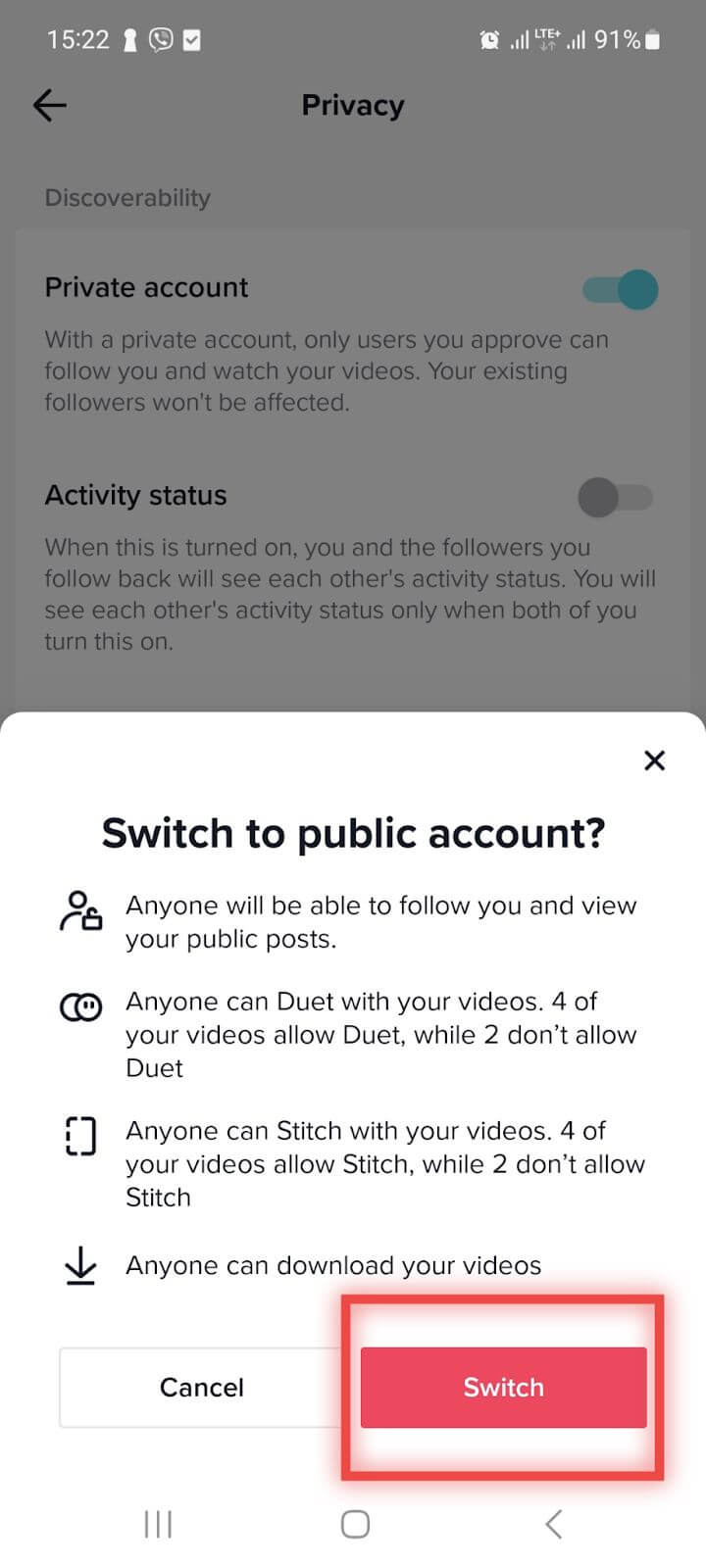
To unprivate your tiktok account and make it public, simply toggle the switch next to the private account option to turn it off. This video shows you how to unprivate your tiktok account. How to unprivate your tiktok account (full guide)learn how to make your tiktok account public.key learning points:• adjusting privacy settings on tiktok• m. If you find this make tiktok account not private then.

How To Unprivate Your Tiktok Account In 2024
Unprivateing your tiktok account is a simple process that can be completed in just a few steps. Whether you want to secure your account for privacy reasons or share your content with a wider audience, this tutorial covers all you need to know. Tap the *profile icon in the bottom right, then tap. Click on the three dots at the top right corner of your profile page.
How To Unprivate Your Tiktok Account In 2024
Launch the app and log in to your account. This video shows you how to unprivate your tiktok account. Turn private account on or off. Slide the switch next to “private account” to the left to disable this feature and make your account visible to all tiktok. Tap on the private videos tab, and then select the video you want to unprivate.

How To Unprivate Your Tiktok Account In 2024
To unprivate your tiktok account and make it public, simply toggle the switch next to the private account option to turn it off. Tap the *profile icon in the bottom right, then tap. Launch the tiktok app and sign in. Get tips and tricks to manage your account. Select settings from the dropdown menu.

How To Unprivate Your Tiktok Account In 2024
Get tips and tricks to manage your account. Sign in to your account. Open the tiktok app on. How to unprivate your tiktok account. Whether you want to secure your account for privacy reasons or share your content with a wider audience, this tutorial covers all you need to know.
Here's What You Should Do Before The Tiktok Ban
Get tips and tricks to manage your account. Turn private account on or off. Unprivating your tiktok account is a straightforward process. Switch your tik tok account from private to public, if you want to show your posts to people who are not following you by following this simple step.
Click “Privacy” To Access Your Account Privacy Settings
Tap the profile icon located at the bottom right corner of the screen. I show you how to unprivate your tiktok account and how to make tiktok private to public in this video! How to unprivate your tiktok account (full guide)learn how to make your tiktok account public.key learning points:• adjusting privacy settings on tiktok• m. Account privacy settings choosing between a private or public account suggested accounts tiktok global privacy center link your email on android devices
Unprivate Your Account Can Be A Bit Tricky
Launch the app and log in to your account. Tap the *profile icon in the bottom right, then tap. Open the tiktok app on. Open the tiktok app and navigate to your profile.
To Learn More About Your
Click on the three dots at the top right corner of your profile page. Unprivateing your tiktok account is a simple process that can be completed in just a few steps. If you find this make tiktok account not private then. Open the tiktok app and log in to your account.