 TikTok Trend Analysis
How To Unsubscribe From Someone On Tiktok - I hope this video helped you!definitely should be accessible on the app itself.#tiktok #howtounsubscribeontiktok💟subscribe: Stay tuned to learn the easy and effective methods to customize. Maybe someone’s content has become too cringeworthy, or you’re just not interested in their videos anymore. Canceling a subscription on tiktok is a straightforward process. Though that extension may not be legal,. Tiktok is now huge among gen z users.
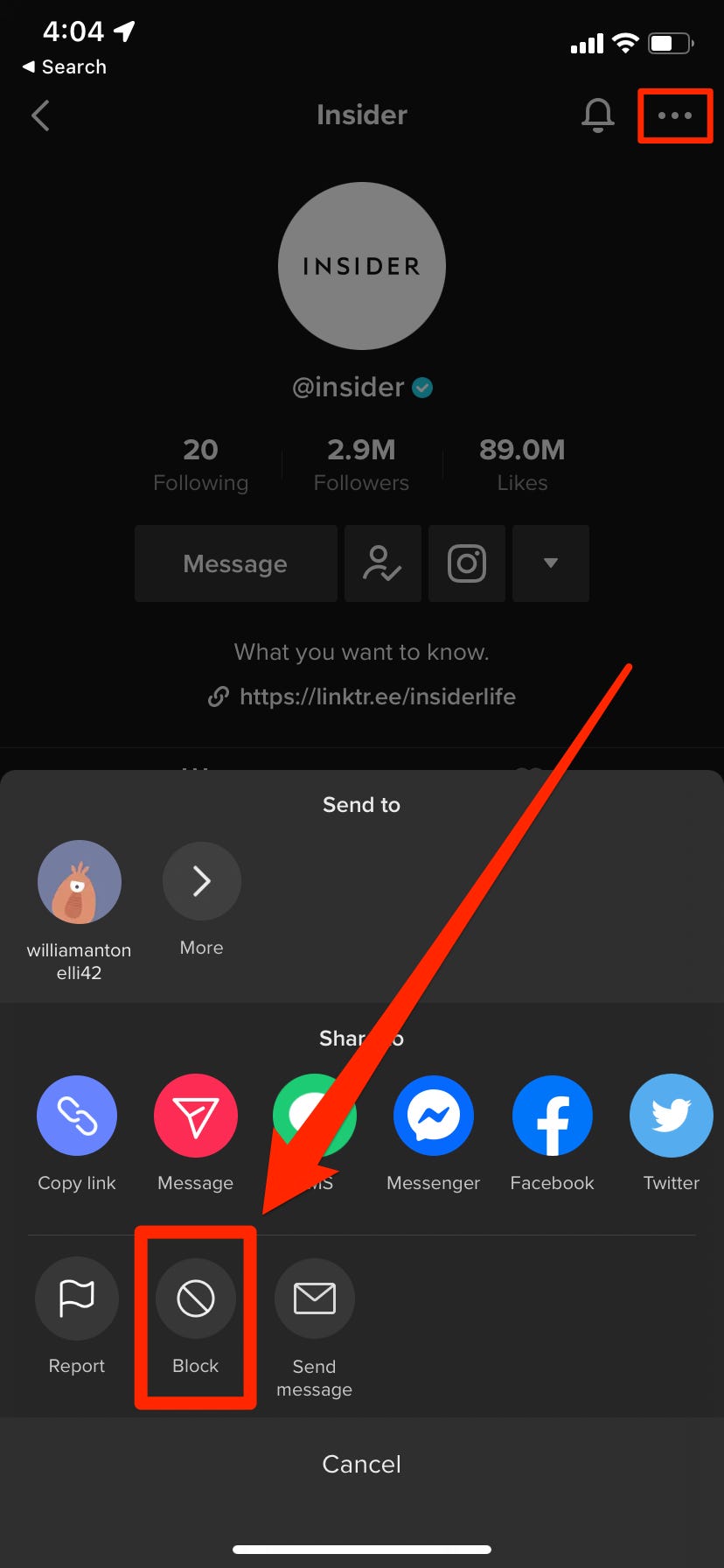
How To Block Someone On Tiktok Zeru
In this video, you'll discover how to remove or turn off subscriptions on tiktok, including managing tiktok gifts and subscriptions. Open tiktok and navigate to the account you’d like to unsubscribe. • open the tiktok app and go to your profile by tapping the icon. Go to the profile of the person you are subscribed to. Though that extension may not be legal,.

How To Block Someone On Tiktok Postmass
In this video, you'll discover how to remove or turn off subscriptions on tiktok, including managing tiktok gifts and subscriptions. Go to the profile of the person you are subscribed to. Open the tiktok app and navigate to the user’s profile you want to unsubscribe from. To unsubscribe from tiktok, you need to open the app on your device. In response to the lawsuit, tiktok told the associated press it has guidelines banning any promotion of suicide.

🥇How To Block Someone On Tiktok 8 Steps (
The company also said it employs 40,000 trust and safety. Stay tuned to learn the easy and effective methods to customize. “learn how to remove followers on tiktok with this detailed guide. • open the tiktok app and go to your profile by tapping the icon. Tiktok video from just jess!

How To Delete Someone Else's Tiktok Account Techcult
In this informative youtube video, we will guide you on how to remove or turn off subscriptions on tiktok live. Ad policy a banned tiktok logo displayed on a smartphone in suqian, china, on january 15, 2025. However, if for some reason you do not want to watch content from another user, then you can easily. In this article, we’ll show you how to.

How To Unsubscribe To Someone On Tiktok?
Do you want to take a break from the constant stream of videos from someone who’s clogging up your for you page? To unsubscribe from tiktok, you need to open the app on your device. Ad policy a banned tiktok logo displayed on a smartphone in suqian, china, on january 15, 2025. Stay tuned to learn the easy and effective methods to customize.
(Photo Illustration By Costfoto / Nurphoto Via Getty Images)
Open tiktok and navigate to the account you’d like to unsubscribe. In this article, we’ll show you how to. How do i unsubscribe from a tiktok subscription? Unsubscribing from someone on tiktok is a straightforward process.
Go To The Profile Of The Person You
Yes, it is possible to unsubscribe someone on tiktok from the web: Unsubscribe from a user’s profile. Open the tiktok app and navigate to the user’s profile you want to unsubscribe from. In response to the lawsuit, tiktok told the associated press it has guidelines banning any promotion of suicide.
Go To The Profile Of The Person You
The company also said it employs 40,000 trust and safety. So, in every email i send, i include a. At the top right side of the screen, tap on the menu icon. Cancel via the tiktok app.
When You Subscribe To A User
Log in to your tiktok account through a web browser. Tiktok video from just jess! You'll also learn how to start or stop a live subscription. Ad policy a banned tiktok logo displayed on a smartphone in suqian, china, on january 15, 2025.