 TikTok Trend Analysis
Tiktok Auto Captions - Tiktok viewers can hide or display auto captions on. Fear not, we’ll take you through both. You'll just need to turn it on in the editing stage, check for accuracy, and then upload your video normally. To make content more accessible to everyone, tiktok has. To start, tap the “captions” icon on the right side of the screen. To turn them off, tap the captions on the screen and then tap hide captions.

Tiktok Auto Captions How And Why To Use Them
To make content more accessible to everyone, tiktok has. Creators can enable or disable auto captions on their own tiktok videos with a single tap, or edit the text of the captions if needed. Here's how to add captions on tiktok using your iphone, ipad, or android device. If you want to get captions on tiktok when watching a video, tap the captions icon on the left of the screen, above the video information.

Tiktok Auto Captions How And Why To Use Them
Depending on the length of your video and the power of your. Auto captions automatically generate subtitles, allowing viewers to read or listen to content. Tiktok viewers can hide or display auto captions on. The first time you turn captions on, you may get this message. “learn how to make the most of tiktok's auto caption feature in this informative video tutorial.
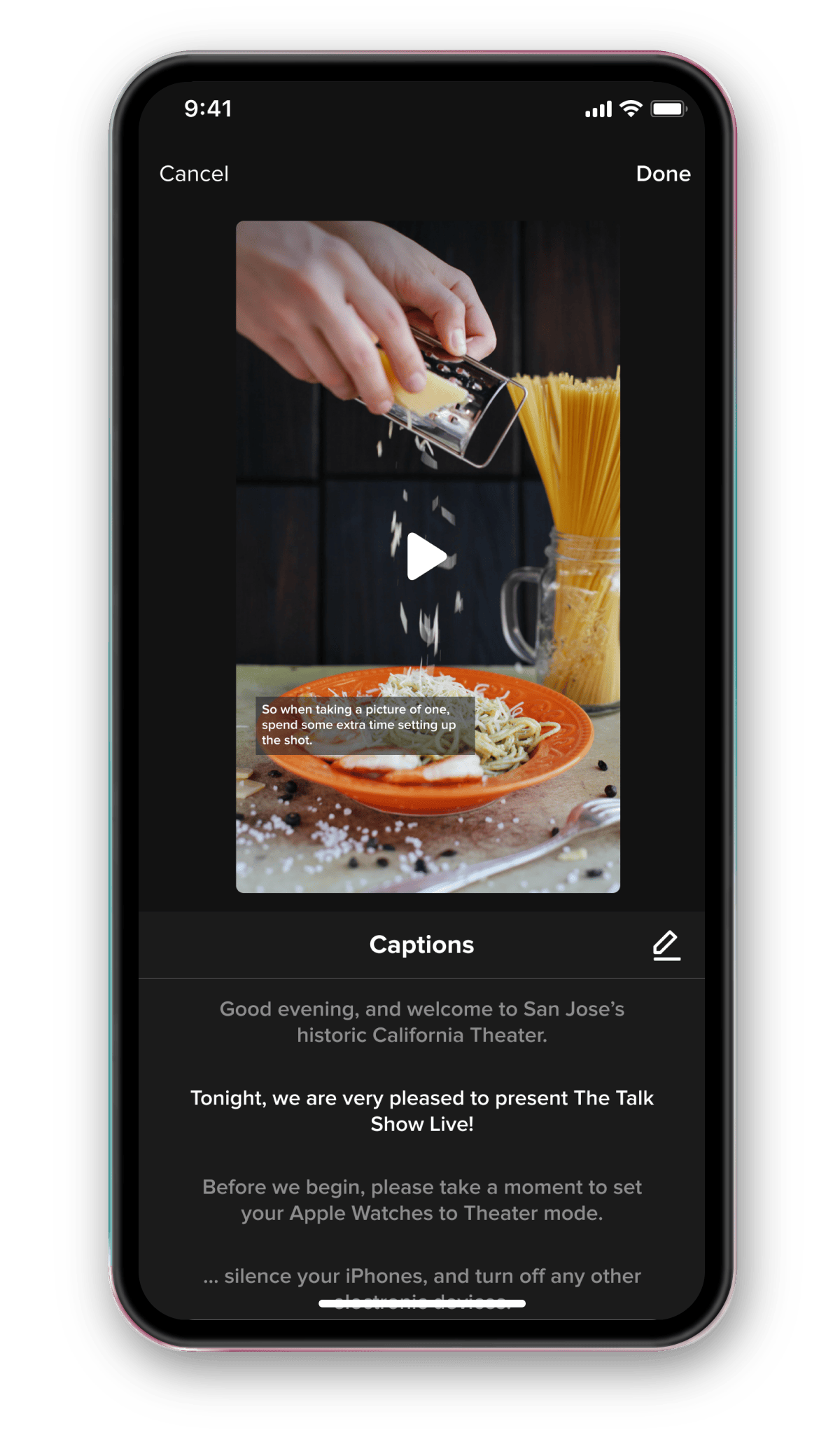
Introducing Auto Captions Tiktok Newsroom
Tiktok's new auto captions feature generates subtitles for your videos. Auto captions automatically generate subtitles, allowing viewers to read or listen to content. Find out how to enable and optimize captions for your content. To make content more accessible to everyone, tiktok has. Here's how to add captions on tiktok using your iphone, ipad, or android device.

Tiktok Auto Captions How And Why To Use Them
Depending on the length of your video and the power of your. To turn them off, tap the captions on the screen and then tap hide captions. To make content more accessible to everyone, tiktok has. You'll just need to turn it on in the editing stage, check for accuracy, and then upload your video normally. To start, tap the “captions” icon on the right side of the screen.

Tiktok Auto Captions How And Why To Use Them
To make sure everyone can enjoy your videos or to clarify muffled audio, here’s how to enable and use auto captions on tiktok. Creators can enable or disable auto captions on their own tiktok videos with a single tap, or edit the text of the captions if needed. To start, tap the “captions” icon on the right side of the screen.
“Learn How To Make The Most Of Tiktok's Auto
Tiktok video from lucy (@lucyintheskywithdollars): Fear not, we’ll take you through both. To make content more accessible to everyone, tiktok has. Find out how to enable and optimize captions for your content.
To Start, Tap The “Captions” Icon On The Right
Tiktok's new auto captions feature generates subtitles for your videos. You'll just need to turn it on in the editing stage, check for accuracy, and then upload your video normally. If you want to get captions on tiktok when watching a video, tap the captions icon on the left of the screen, above the video information. Tiktok viewers can hide or display auto captions on.
As Creators Make Content
Here's how to add captions on tiktok using your iphone, ipad, or android device. To turn them off, tap the captions on the screen and then tap hide captions. Creators can enable or disable auto captions on their own tiktok videos with a single tap, or edit the text of the captions if needed. Depending on the length of your video and the power of your.
The First Time You Turn Captions On
To make sure everyone can enjoy your videos or to clarify muffled audio, here’s how to enable and use auto captions on tiktok. Auto captions automatically generate subtitles, allowing viewers to read or listen to content.