 Biology Genetics Worksheets
How To Merge Excel Worksheets Into One Workbook - With the merge pdf tool from adobe acrobat, you can combine multiple pdf documents into one file for free online. Just upload all your files, rearrange the pages as needed, and then merge them into a single file. Now it’s easy to merge separate pdfs, organize pages in your document, and create a. You do not need to install or set up anything, just select your pdf files in the app and merge pages. Combine multiple pdfs and images into one. Conversely, you can drag and drop your.

Combine Multiple Excel Files Into One Workbook With Separate
Select multiple pdf files and merge them in seconds. With the merge pdf tool from adobe acrobat, you can combine multiple pdf documents into one file for free online. Ilovepdf is an online service to work with pdf files completely free and easy to use. To start, upload up to 20 pdfs. Merge & combine pdf files online, easily and free.

Combine Multiple Excel Workbooks Into One
To start, upload up to 20 pdfs. With the merge pdf tool from adobe acrobat, you can combine multiple pdf documents into one file for free online. Ilovepdf is an online service to work with pdf files completely free and easy to use. It's free, quick and easy to use. Merge & combine pdf files online, easily and free.
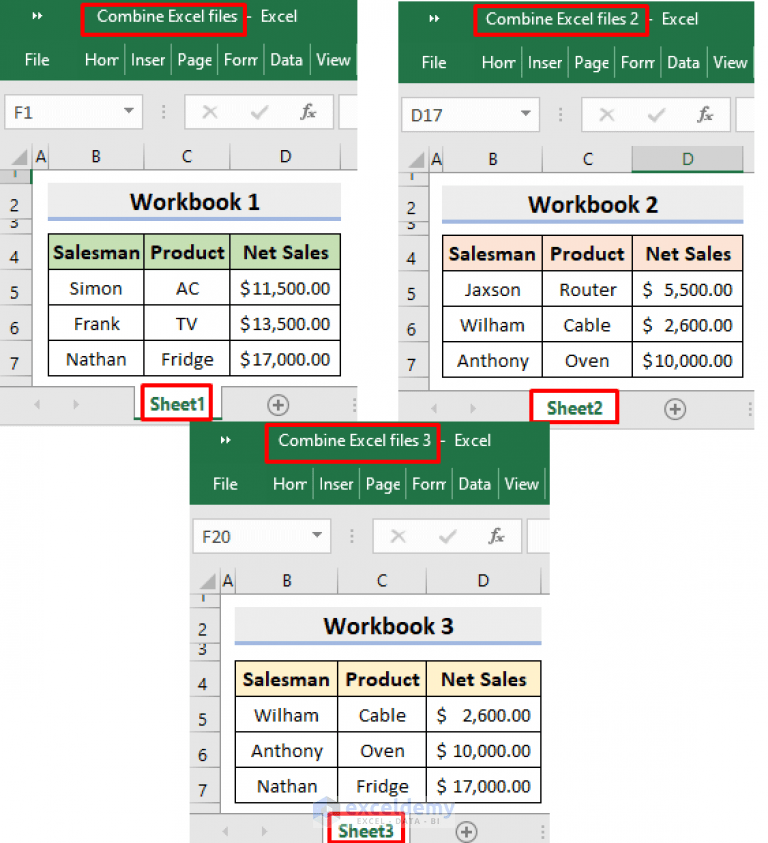
Combine Multiple Excel Files Into One Workbook With Separate
With the merge pdf tool from adobe acrobat, you can combine multiple pdf documents into one file for free online. To start, upload up to 20 pdfs. Our tool above can combine two or even up to 20 pdfs for you. Merge & combine pdf files online, easily and free. Ilovepdf is an online service to work with pdf files completely free and easy to use.
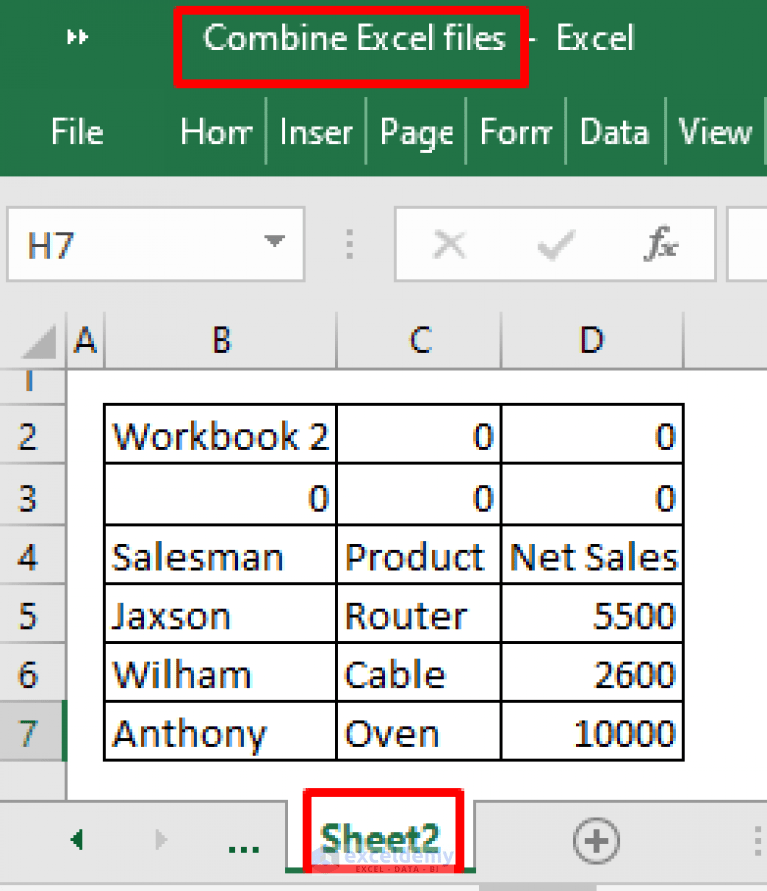
Combine Multiple Excel Files Into One Workbook With Separate
Now it’s easy to merge separate pdfs, organize pages in your document, and create a. To start, upload up to 20 pdfs. Combine multiple pdfs and images into one. You do not need to install or set up anything, just select your pdf files in the app and merge pages. Merge & combine pdf files online, easily and free.

How To Combine Excel Workbooks Into One Worksheets Library
Just upload all your files, rearrange the pages as needed, and then merge them into a single file. Conversely, you can drag and drop your. Online, no installation or registration required. You can combine your pdfs and jpgs into a single file by uploading them to the merge pdf tool. It's free, quick and easy to use.
Our Tool Above Can Combine Two Or Even Up
Ilovepdf is an online service to work with pdf files completely free and easy to use. With the merge pdf tool from adobe acrobat, you can combine multiple pdf documents into one file for free online. Merge pdf, split pdf, compress pdf, office to pdf, pdf to jpg and more! Combine multiple pdfs and images into one.
This Is An Easy Way To Bring Multiple Pdfs
You do not need to install or set up anything, just select your pdf files in the app and merge pages. Just upload all your files, rearrange the pages as needed, and then merge them into a single file. It's free, quick and easy to use. Online, no installation or registration required.
To Start, Upload Up To 20 Pdfs
You can combine your pdfs and jpgs into a single file by uploading them to the merge pdf tool. Easy to use pdf24 makes it as easy and fast as possible to combine pdf files. Merge & combine pdf files online, easily and free. Select multiple pdf files and merge them in seconds.
Now It’s Easy To Merge Separate Pdfs
Conversely, you can drag and drop your.