 Biology Genetics Worksheets
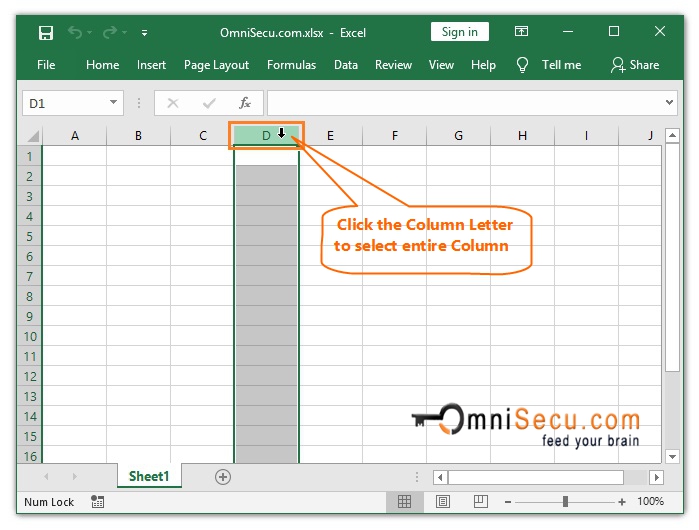
How To Select Multiple Worksheets In Excel - Hold down the ctrl key of your keyboard and select the tabs of the sheets that. For users with excel 2019 or earlier, pivottables offer a similar solution for extracting data. Click ok to apply the changes. The simplest way to select multiple columns is by using the mouse. Click finish, and excel will split the street, city, and state into separate columns. While holding the shift key, click on the last.

How To Select Multiple Cells In Excel Spreadcheaters
Using 3d references with the. Methods to select multiple columns in excel 1. To select two or more nonadjacent sheets: This excel vba tutorial explains how to use worksheet.select method to select a single worksheet or multiple worksheets. Let’s first look at how to manually copy all sheets or multiple sheets to an already open excel workbook:
Excel Select All Worksheets
Let’s first look at how to manually copy all sheets or multiple sheets to an already open excel workbook: Hold down the ctrl key of your keyboard and select the tabs of the sheets that. These options include using the mouse, keyboard, and ribbon shortcuts. It seems you cannot select multiple tabs in excel online and through microsoft team via ctrl or shift clicking.

Creating A Workbook With Multiple Worksheets Computer Applications
My goal is to select all the sheets and format the sheets at once. 123 main st, los angeles, ca. Hold down the ctrl key of your keyboard and select the tabs of the sheets that. These options include using the mouse, keyboard, and ribbon shortcuts. For users with excel 2019 or earlier, pivottables offer a similar solution for extracting data.

Excel Select All Worksheets
Excel provides multiple options for selecting an entire worksheet quickly and efficiently. Select “comma” as the delimiter if addresses are formatted like: Unhide sheets using vba code. My goal is to select all the sheets and format the sheets at once. Select an empty cell (i used cell b4), go to the data tab → data validation → list.

View Multiple Worksheets At The Same Time Spreadsheets Made
While holding the shift key, click on the last. Select the sheets to delete. Select “comma” as the delimiter if addresses are formatted like: Based on my test result, it seems i can confirm i also meet same. Holding down the ctrl key allows you to select numerous sheets without.
My Goal Is To Select All The Sheets
To select two or more nonadjacent sheets: These options include using the mouse, keyboard, and ribbon shortcuts. Is that feature not available in the online version of excel? Hold down the shift key on your keyboard.
This Article Is Going To Walk You Through Everything
Unhide sheets using vba code. Let’s first look at how to manually copy all sheets or multiple sheets to an already open excel workbook: Selecting multiple worksheets to combine is the first step, and the consolidate feature can be used to merge data from different worksheets. Select the sheets to delete.
Using 3D References With The
In the unhide sheets dialog box, select the sheets you want to unhide. I'm not seeing any way to select multiple sheets/tabs at once. Click on the first sheet tab at the bottom of your excel window. Selecting multiple adjacent columns using the mouse.
Holding Down The Ctrl Key Allows You To Select
Excel provides multiple options for selecting an entire worksheet quickly and efficiently. Click ok to apply the changes. Selecting multiple sheets is crucial because excel needs to know which sheets you want to duplicate. Click the tab for the first sheet> hold down command and click the tabs of the other sheets that you want to select.