 Biology Genetics Worksheets
Sticky Tape Electrostatic Lab Worksheet - How to manually sync sticky notes on windows 10 pc the sticky notes app is a preinstalled uwp (universal windows platform) app in windows 10. Keyboard shortcuts for sticky notes in windows 10 the sticky notes app is a preinstalled uwp (universal windows platform) app in windows 10. This apps allows you to create and save notes to the desktop of your windows 10 pc. This apps allows you to create and save. With sticky notes, you can. Cannot copy & paste sticky notes to new machine i use sticky notes heavily.

Static Flash 'Sticky' Tape On Toyhouse
1) terminate then reset sticky notes in windows app settings 2) open sticky notes and log in using old account. Soon, you’ll be able to try the new sticky notes app from the windows start menu and by toggling over from the existing microsoft sticky notes app on windows. This apps allows you to create. Wait for the old notes to sync and download.
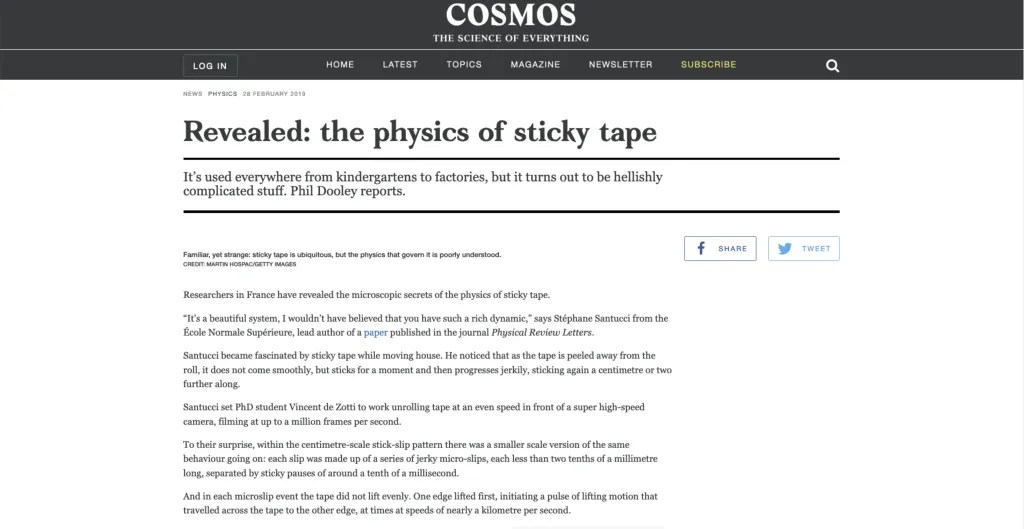
Revealed The Physics Of Sticky Tape (From Cosmos Magazine)
This apps allows you to create. How to manually sync sticky notes on windows 10 pc the sticky notes app is a preinstalled uwp (universal windows platform) app in windows 10. Soon, you’ll be able to try the new sticky notes app from the windows start menu and by toggling over from the existing microsoft sticky notes app on windows.

Electrostatic Charge Worksheet Pdf
Keyboard shortcuts for sticky notes in windows 10 the sticky notes app is a preinstalled uwp (universal windows platform) app in windows 10. Wait for the old notes to sync and download. How to change color of sticky notes in windows 10 the sticky notes app is a preinstalled uwp (universal windows platform) app in windows 10. Soon, you’ll be able to try the new sticky notes app from the windows start menu and by toggling over from the existing microsoft sticky notes app on windows.

Discussion Worksheet 1 (Electrostatic Force) Discussion Worksheet 1
This apps allows you to create. The sticky notes app is a preinstalled uwp (universal windows platform) app in windows 10. Wait for the old notes to sync and download. This apps allows you to create and save. How to change color of sticky notes in windows 10 the sticky notes app is a preinstalled uwp (universal windows platform) app in windows 10.

Ppt Sticky Tape Lab Powerpoint Presentation, Free Download Id2499913
How to change color of sticky notes in windows 10 the sticky notes app is a preinstalled uwp (universal windows platform) app in windows 10. How to turn on or off sticky keys in windows 10 when sticky keys is turned on, you can press a modifier key (shift, ctrl, or alt) and then another key in sequence rather than at the.
With Sticky Notes, You Can
How to turn on or off sticky keys in windows 10 when sticky keys is turned on, you can press a modifier key (shift, ctrl, or alt) and then another key in sequence rather than at the. The sticky notes app is a preinstalled uwp (universal windows platform) app in windows 10. Wait for the old notes to sync and download. Soon, you’ll be able to try the new sticky notes app from the windows start menu and by toggling over from the existing microsoft sticky notes app on windows.
Before Getting Rid Of My Old Win10 Machine
This apps allows you to create. How to backup and restore sticky notes in windows 10 the sticky notes app is a preinstalled uwp (universal windows platform) app in windows 10. How to change color of sticky notes in windows 10 the sticky notes app is a preinstalled uwp (universal windows platform) app in windows 10. This apps allows you to create and save notes to the desktop of your windows 10 pc.
How To Manually Sync Sticky Notes On Windows 10
This apps allows you to. Keyboard shortcuts for sticky notes in windows 10 the sticky notes app is a preinstalled uwp (universal windows platform) app in windows 10. This apps allows you to create and save. How to access and use windows 10 sticky notes online on the web the sticky notes app is a preinstalled uwp (universal windows platform) app in windows 10.
Cannot Copy & Paste Sticky Notes To New Machine
This apps allows you to create. 1) terminate then reset sticky notes in windows app settings 2) open sticky notes and log in using old account.