 Biology Genetics Worksheets
Unprotect Excel Worksheet - This method has no effect if the sheet or workbook isn't protected. In this guide, we’ll show you 5 simple methods to unprotect a sheet in excel, whether you’re using the latest version like excel 365 or an older one like excel 2010. In this section, we’ll explore the fastest and most straightforward way to unprotect an excel workbook without needing passwords. This article explains 4 ways to unprotect excel sheet without password. Press ctrl + a to select the entire. If you do not supply a password, any user can unprotect the sheet and change the protected elements.
How To Unprotect A Sheet In Excel (With
Free online remover, plus the manual excel and zip/xml methods. If you do not supply a password, any user can unprotect the sheet and change the protected elements. Make sure that you choose a password that is easy to remember, because if you lose the password,. This wikihow article will show you how to unlock a protected excel spreadsheet with or without the password.

How To Unprotect Excel Sheet Youtube
In this guide, we’ll show you 5 simple methods to unprotect a sheet in excel, whether you’re using the latest version like excel 365 or an older one like excel 2010. This wikihow article will show you how to unlock a protected excel spreadsheet with or without the password. This method has no effect if the sheet or workbook isn't protected.

Protect And Unprotect Worksheet In Excel Youtube
Free online excel password remover. Free online remover, plus the manual excel and zip/xml methods. This article explains 4 ways to unprotect excel sheet without password. Make sure that you choose a password that is easy to remember, because if you lose the password,. If you do not supply a password, any user can unprotect the sheet and change the protected elements.

How To Unprotect Excel Workbooks
Press ctrl + a to select the entire. Removes protection from a sheet or workbook. You can unprotect an excel sheet or workbook with or without a password by using a vba code, zip file format trick, or google sheets. Free online remover, plus the manual excel and zip/xml methods. Make sure that you choose a password that is easy to remember, because if you lose the password,.
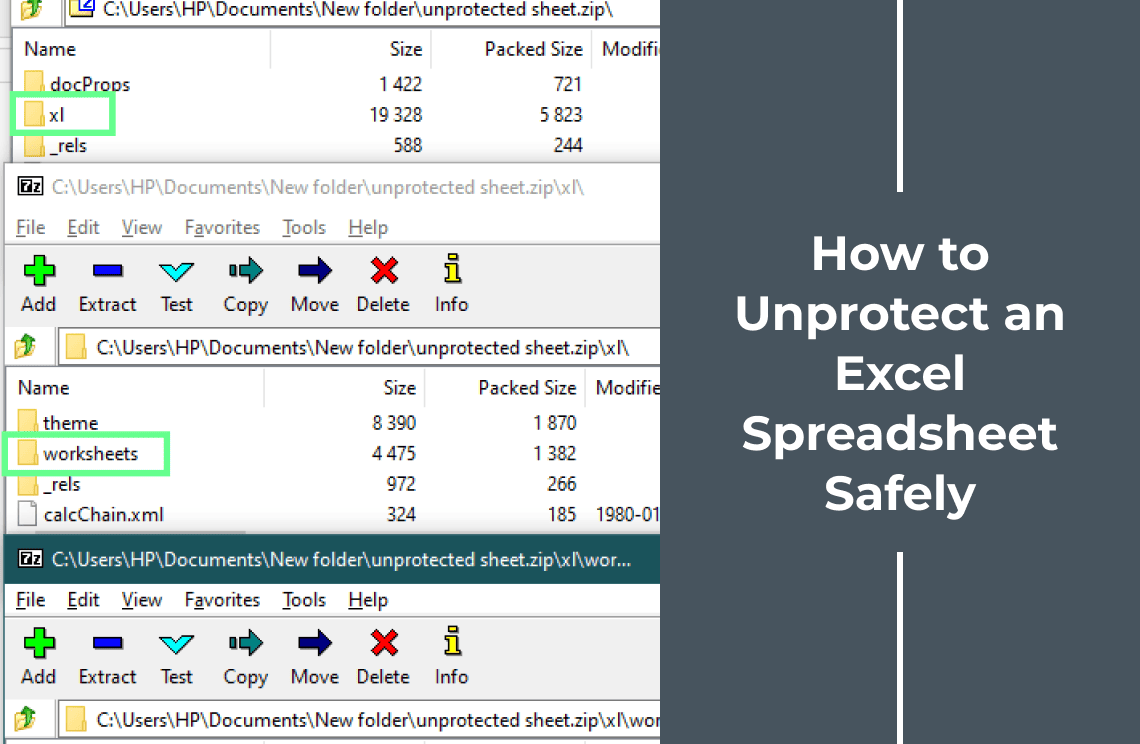
How To Unprotect An Excel Spreadsheet Safely Pdf Agile
In this section, we’ll explore the fastest and most straightforward way to unprotect an excel workbook without needing passwords. Free online remover, plus the manual excel and zip/xml methods. If you do not supply a password, any user can unprotect the sheet and change the protected elements. This wikihow article will show you how to unlock a protected excel spreadsheet with or without the password.
If You Do Not Supply A Password
Rename to zip, edit the worksheet xml, and restore the file back to excel. This method has no effect if the sheet or workbook isn't protected. This wikihow article will show you how to unlock a protected excel spreadsheet with or without the password. Make sure that you choose a password that is easy to remember, because if you lose the password,.
Free Online Remover
Download the practice book & use the methods to solve your problems. In this guide, we’ll show you 5 simple methods to unprotect a sheet in excel, whether you’re using the latest version like excel 365 or an older one like excel 2010. Free online excel password remover. In this section, we’ll explore the fastest and most straightforward way to unprotect an excel workbook without needing passwords.
Removes Protection From A Sheet Or Workbook
Press ctrl + a to select the entire. You can unprotect an excel sheet or workbook with or without a password by using a vba code, zip file format trick, or google sheets. This article explains 4 ways to unprotect excel sheet without password.