 National Holiday Calendar
Google Calendar And Ical - Head to google calendar, then look at the left panel. Syncing ical with google calendar is a straightforward process that can be done using either caldav or google calendar sync. Importing ical files to google calendar is a straightforward process that can help you manage your schedule and events more efficiently. Importing icalendar files to your google calendar is simple, but the functionality is somewhat buried. Click the + button to add. Sign in to the google account where you want to import.

Ical Plugin Help To Show Event In Google Calendar
Before we dive into the process of getting ical on google calendar, let’s quickly understand what ical and google calendar are. Follow the steps below to sync your ical (apple calendar) with google calendar directly from your smartphone. To import your calendar, continue to “create or edit.csv and ical files before you import.” imported events don't stay in sync. Importing ical files to google calendar is a straightforward process that can help you manage your schedule and events more efficiently.

Sync Ical With Google Calendar Iclarified
Open the apple calendar on your smartphone. Follow the steps below to sync your ical (apple calendar) with google calendar directly from your smartphone. With google calendar and ical, you can access your schedule from any device, at any time. With this integration, you can enjoy a seamless and centralized calendar. Sync and manage your calendars effortlessly.
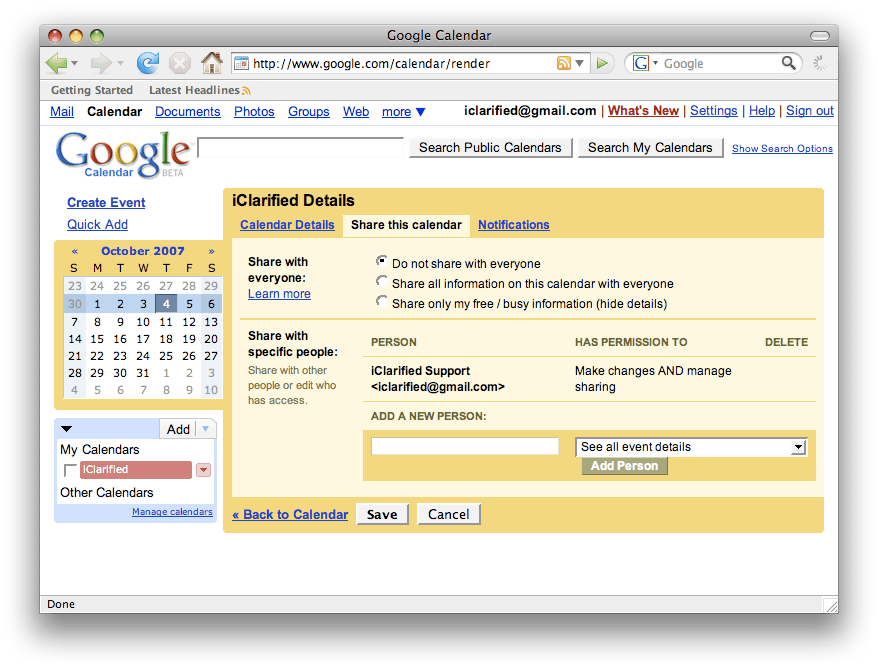
Sync Ical With Google Calendar Iclarified
Before we dive into the process of getting ical on google calendar, let’s quickly understand what ical and google calendar are. By following the steps outlined in this. Ical will automatically sync your. Click on ical in the top menu bar and select preferences. With this integration, you can enjoy a seamless and centralized calendar.

How To Use Ical And Google Calendar Together Tidemaple
Follow the steps below to sync your ical (apple calendar) with google calendar directly from your smartphone. With this integration, you can enjoy a seamless and centralized calendar. Syncing ical with google calendar provides accessibility, efficiency, and collaboration. Syncing ical with google calendar is a straightforward process that can be done using either caldav or google calendar sync. Importing ical files to google calendar is a straightforward process that can help you manage your schedule and events more efficiently.

What Is Ical Format Of Google Calendar Forumdelta
In this article, we will walk you through the process of adding an ical feed to your google calendar. Check out our ical viewer! Head to google calendar, then look at the left panel. Syncing ical with google calendar provides accessibility, efficiency, and collaboration. Ical will automatically sync your.
Head To Google Calendar
By following the steps outlined in this. You'll see two lists of. Syncing ical with google calendar provides accessibility, efficiency, and collaboration. To import your calendar, continue to “create or edit.csv and ical files before you import.” imported events don't stay in sync.
In This Article
In this article, we will guide you through the process of syncing your ical calendar to google calendar, ensuring that you can easily manage your schedule and stay organized. Learn how to easily convert ical files to google calendar and seamlessly sync your events across different platforms. Click on ical in the top menu bar and select preferences. Sync and manage your calendars effortlessly.
Ical Will Automatically Sync Your
Sign in to the google account where you want to import. Before we dive into the process of getting ical on google calendar, let’s quickly understand what ical and google calendar are. Follow the steps below to sync your ical (apple calendar) with google calendar directly from your smartphone. To add ical to google calendar, open ical, find the calendar you want to sync,.
With This Integration
In this article, we will guide you through the process of adding a google calendar to ical, allowing you to access all your events and appointments in one centralized location. Check out our ical viewer! You can sync your google calendar events with other computer applications, like outlook or apple calendar. Importing icalendar files to your google calendar is simple, but the functionality is somewhat buried.