 National Holiday Calendar
How Do I Add Gmail Calendar To Outlook - To add your google calendar to your outlook account, complete the following steps:. On outlook web, click the plus icon on the left sidebar > choose gmail > enter your account address and password. I've removed and added the account twice. In this article, we will sync entries in a google calendar with our outlook calendar, so the google calendar will be the source and the outlook calendar will be the target. Adding your google calendar to outlook is a straightforward process that can help you streamline your scheduling and reduce calendar conflicts. Sign in to the outlook web app and click on the gear icon.

How Do I Add Gmail Calendar To Outlook
Open the old outlook and go to file > account settings > account settings. To add your gmail calendar to outlook, follow these steps: Should such an occasion arise, you can import a google calendar into microsoft outlook as follows: Under “link to the calendar” hold down the ctrl key of your keyboard. If you enter appointments into google calendar, there's a way to sync that data to outlook.

How Do I Add Gmail Calendar To Outlook
Tap v on your keyboard. If you still want to learn how to add google calendar to outlook, or add outlook to google calendar, read the following sections. Open google calendar on a desktop browser. On top of that, missive supports all email providers (outlook, gmail, yahoo, apple mail, etc) and you can have multiple accounts (personal and business). I've removed and added the account twice.

Gmail Calendar Outlook Printable Calendar 2023
Sign in to the outlook web app and click on the gear icon. Click on settings (gear icon) in the top. To add your google calendar to your outlook account, complete the following steps:. Configure your smtp server settings using gmail. The moment you add an event on your iphone, it appears instantly on your mac or ipad.
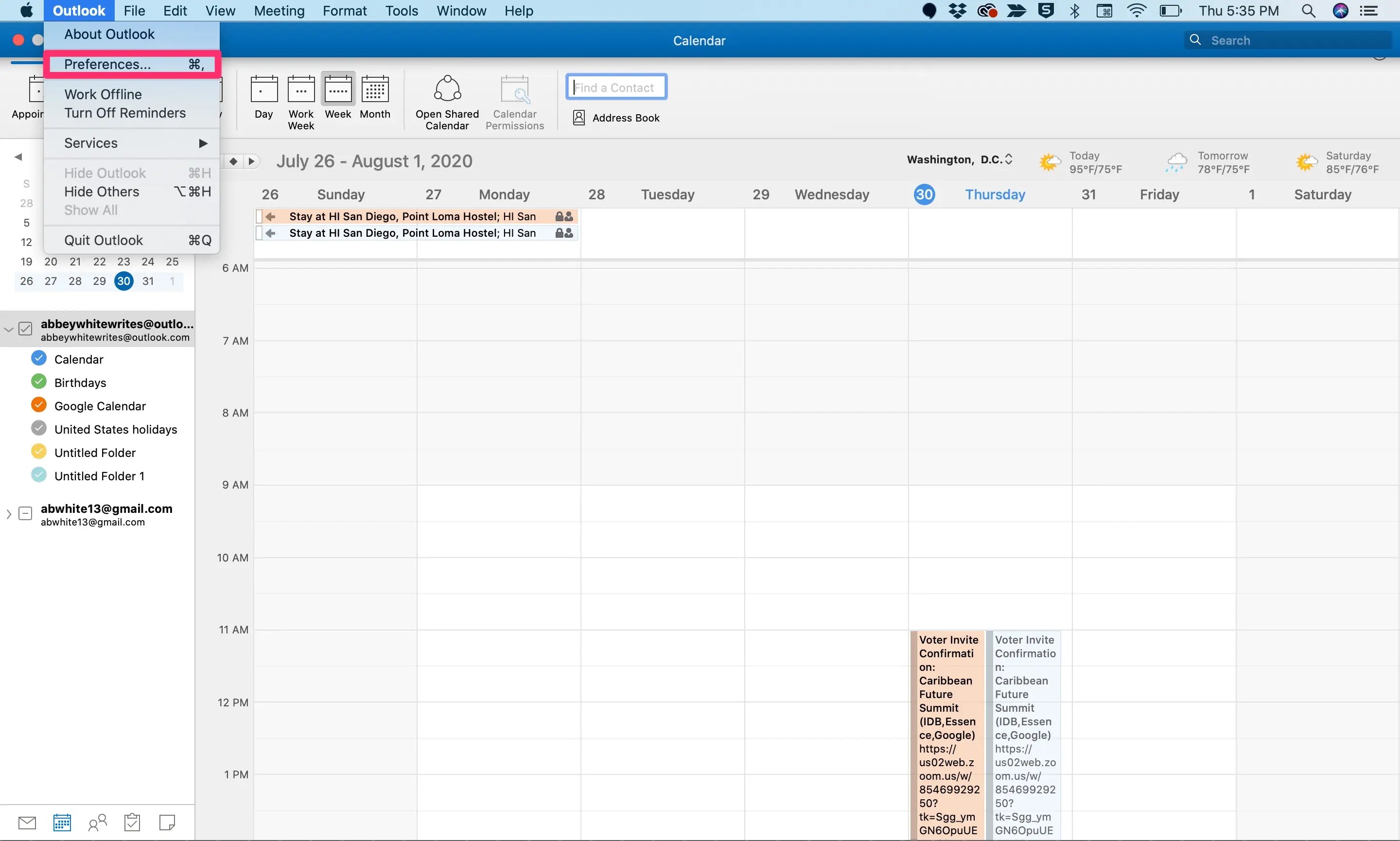
How Do I Add My Gmail Calendar To Outlook
To add your gmail calendar to outlook, follow these steps: To do this, you'll need a google calendar and outlook (which is fairly obvious), but. In this article, we’ll walk you. I've done all of the suggested fixes from every site. Open google calendar on a desktop browser.

Add Gmail Calendar To Outlook 2025 Email Robbi Christen
Open google calendar on a desktop browser. To add your gmail calendar to outlook, follow these steps: In this article, we’ll walk you. Should such an occasion arise, you can import a google calendar into microsoft outlook as follows: A dialogue box will appear asking for a url.
In This Article, We’ll Walk You
In the settings menu, click on view all outlook. This will enable you to complete the export process successfully. Simply follow the detailed instructions given below to sync google calendar with outlook. On top of that, missive supports all email providers (outlook, gmail, yahoo, apple mail, etc) and you can have multiple accounts (personal and business).
Calendar” Hold
To add your gmail calendar to outlook, follow these steps: Get more organized and more reliable by subscribing to your google calendar in outlook. By following the steps outlined above, you can easily switch between your google calendar and. On outlook for mac, open the app > settings > accounts.
Sign In To The Outlook Web App And Click
Using your favorite browser, open google drive and choose calendar. To add your google calendar to your outlook account, complete the following steps:. In outlook, click ‘add calendar’ and select ‘from internet’. Configure your smtp server settings using gmail.
Using Google Calendar, You Can Import Another
Scroll down to the calendar section and click on sync calendars.. Open google calendar on a desktop browser. Here's how, plus we provide steps to sync outlook with google. Log in to your outlook account.