 National Holiday Calendar
How Do I Add Someone To Google Calendar - You can add anyone with an email address to your event, even if they don't have google calendar. By following these steps, you can easily. People can find everything on your calendar, which includes event names, times, locations, and descriptions. This article will show you how to add someone to your google calendar. Log in to your google account and go to the google calendar. Click on the google calendar icon.

Add Someone To Google Calendar Customize And Print
By doing so, you can organize meetings easily as well as. Add a calendar by email address —add the primary calendar of someone in your domain (if that person has. People can find everything on your calendar, which includes event names, times, locations, and descriptions. This article will show you how to add someone to your google calendar. Choose how much access you want to give to other people:.

How To Add Someone On Google Calendar
By following these steps, you can easily. In this article, we will walk you through the process of giving someone access to your google calendar. By doing so, you can organize meetings easily as well as. When someone shares their calendar with you, you’ll receive an email notification. Type the name of who you want to share your calendar with and click send in this article,.
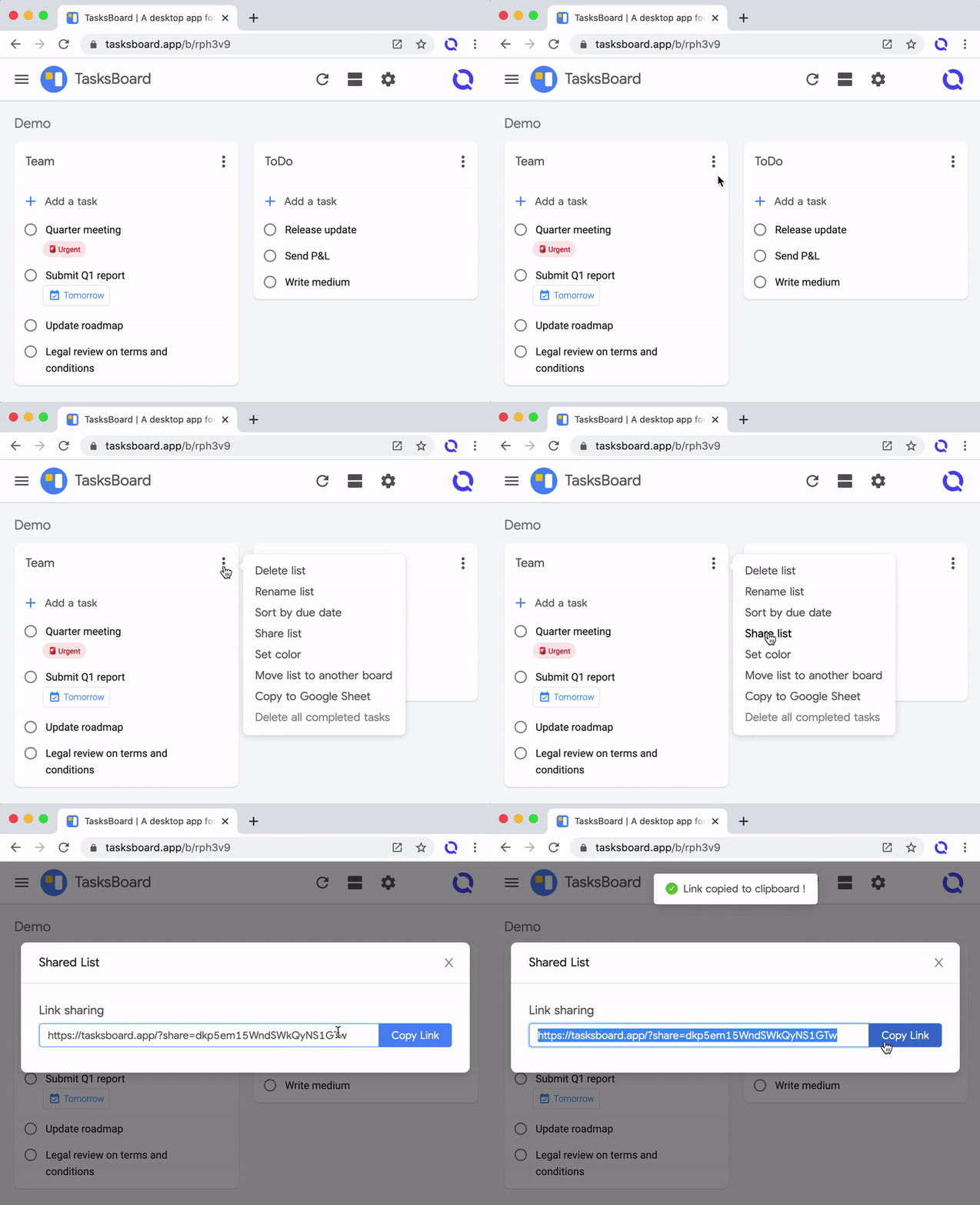
How Do I Share My Google Tasks With Someone?
They can’t find out event names or details. See only free/busy (hide details):people can only find out when you're busy. If you’re using a computer, log in to your google. Adding someone to your google calendar is a simple and efficient way to collaborate, schedule, and keep everyone on the same page. In your email, tap add this calendar.

How To Check Someone Else’s Google Calendar
When someone shares their calendar with you, you get an email with a link to add their calendar. Learn how to share your google calendar with someone in 5 simple steps. To share with an individual, click add people under share with specific people 5. In this article, we will walk you through the process of giving someone access to your google calendar.

Add Someone To Your Google Calendar Ruth Wright
Adding someone to your google calendar is a simple and efficient way to collaborate, schedule, and keep everyone on the same page. Before you can share your calendar. By doing so, you can organize meetings easily as well as. By following these steps, you’ll. Log in to your google account and go to the google calendar.
Before You Can Share Your Calendar
By following these steps, you’ll. To share your google calendar with specific family members or work colleagues, the process only takes a few clicks. In this article, we will walk you through the process of giving someone access to your google calendar. You can add anyone with an email address to your event, even if they don't have google calendar.
Adding Someone To Your Google Calendar Is A Simple
Log in to your google account on a computer or mobile device. If someone hasn’t shared their calendar with you, you can ask for access to their primary. We’ll walk you through the steps of sharing your calendar, adding people to your calendar, and more. They can’t find out event names or details.
In Your Email, Tap Add This Calendar
To add someone to your shared google calendar, you first need to create a shared calendar. Sign in to your google workspace account in a web browser and open calendar. Add a calendar by email address —add the primary calendar of someone in your domain (if that person has. This article will show you how to add someone to your google calendar.
In Google Calendar
By doing so, you can organize meetings easily as well as. To share your calendar, open google calendar on your computer or mobile device. To share your calendar, you need to create a shared calendar. Log in to your google account and go to the google calendar.