 National Holiday Calendar
How To Accept Calendar Invite On Iphone - You can choose whether people can automatically join or whether. I’m experiencing an issue with my @icloud.com email and calendar on my iphone. There are two ways you can invite guests: Click at the top of the sidebar. In this lesson from the full tutorial on the calendar app for iphone & ipad see how to send, accept, and decline event invitations! Go to icloud.com/calendar, then sign in to your apple account (if necessary).

Accept Icloud Calendar Invite Jinny Lurline
How to accept a calendar invitation on iphone calendar → inbox → accept. • customize the font of your invitation so it feels just right. To add a new family member to your apple calendar, you can use three options: Open up your “calendar” app and go to “inbox”, you can find. Apple’s new invites app makes event planning easier by allowing you to create, customize, and share invitations directly from your iphone or web browser.

Can T Accept Calendar Invite On Iphone
Icloud.com users will only see copy. But there is no mechanism to accept or decline the invitation. Welcome to our guide on how to accept calendar invites on your iphone! Open up your “calendar” app and go to “inbox”, you can find. Tap a meeting request on the following page to view its details, such as invitees and.

Calendar Invite On Iphone
You should be prompted at that point on your iphone or other trusted device that someone is trying to sign in near your location (or your vpn location if you're using one). In this video, we’ll walk you through the simple steps to respond to calendar invitations directly from. • maps and weather are automatically added to make sure guests have all the details.

Imessage Calendar Invite Pingtumi
There are two ways you can invite guests: Imessage, invite in person, or create a child account. To add a new family member to your apple calendar, you can use three options: To accept a calendar invite on your iphone, follow these simple steps: But there is no mechanism to accept or decline the invitation.
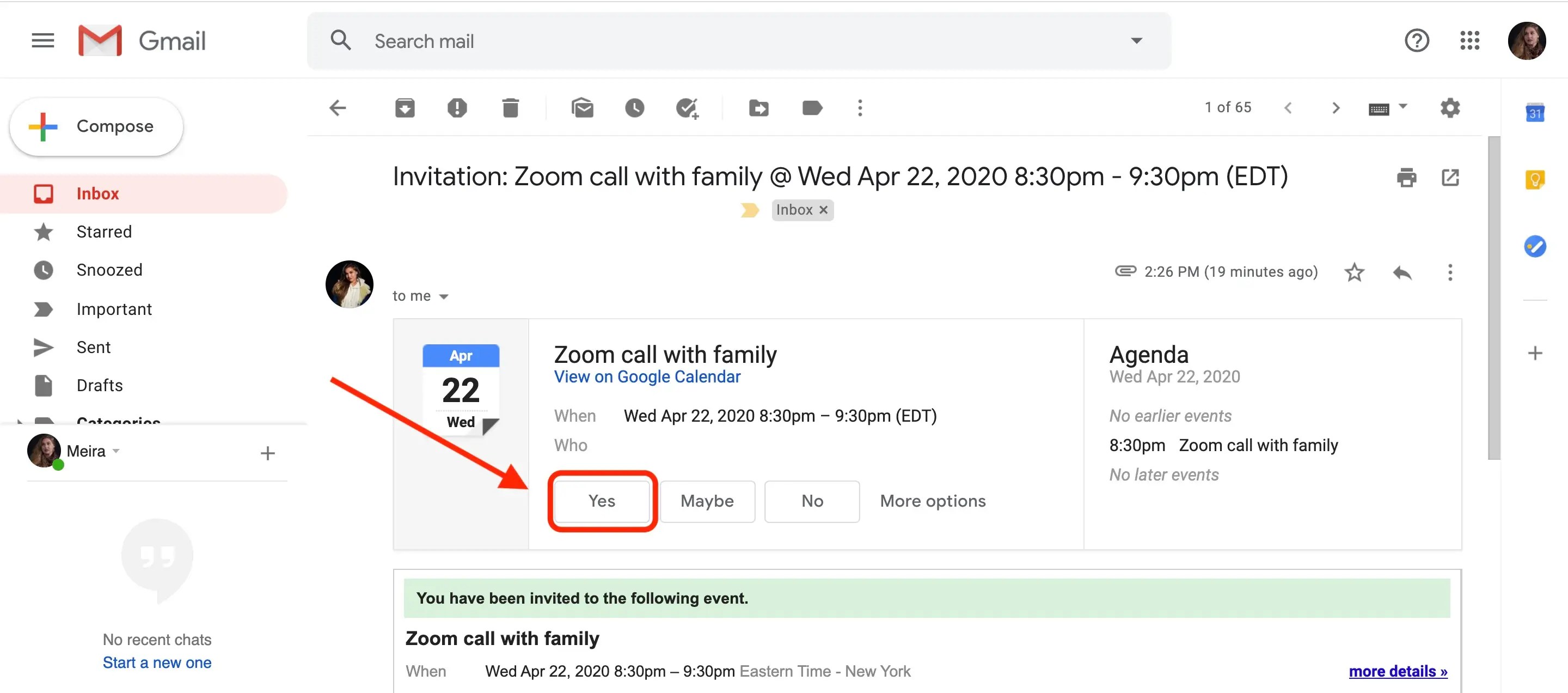
How To Accept A Calendar Invite
Apple has just released a surprise new feature for the iphone to help you invite people to parties and other events, according to a new report, as part of a revamp to apple’s. To accept a calendar invite on your iphone, follow these simple steps: Go to icloud.com/calendar, sign in to your apple account (if necessary), then do any of the following: In the calendar notification, click join calendar.
Icloud.com/Calendar
Finally, choose how to invite people and whether you want to accept them all or approve each one. Apple has just released a surprise new feature for the iphone to help you invite people to parties and other events, according to a new report, as part of a revamp to apple’s. You can choose whether people can automatically join or whether. I’m experiencing an issue with my @icloud.com email and calendar on my iphone.
To Add A New Family Member To Your Apple
In this lesson from the full tutorial on the calendar app for iphone & ipad see how to send, accept, and decline event invitations! • maps and weather are automatically added to make sure guests have all the details. To accept a calendar invitation, go to. How to accept a calendar invitation on iphone calendar → inbox → accept.
Go To Your Mail App And Open The Email
You can choose whether you want to receive event invitations as a notification in calendar or as an email. To accept a calendar invite on your iphone, follow these simple steps: The issue has two parts: In the calendar notification, click join calendar.
Tap A Meeting Request On The Following Page
Learn how to accept a calendar invite on iphone. You can accept a calendar invitation using calendar on icloud.com on a tablet or computer. Click at the top of the sidebar. You should be prompted at that point on your iphone or other trusted device that someone is trying to sign in near your location (or your vpn location if you're using one).