 National Holiday Calendar
How To Add Calendar From Outlook To Iphone - You'll need to download the microsoft outlook. In this article, we’ll walk you through the process of syncing your outlook calendar to your iphone, highlighting the key steps and important considerations. If you want to add your outlook calendar to your iphone, there are two ways to do so. In outlook, you need to enable the add to calendar feature to link your outlook calendar to your iphone calendar. To save your outlook contacts on the iphone, open app settings and. Here’s how to do it:

How To Add Your Outlook Calendar To An Iphone
Whether you add an event from your iphone, mac, or even your apple watch, it updates instantly. You'll need to download the microsoft outlook. You can use microsoft’s outlook app, which is available for free in the app store, or. Adding an outlook calendar to iphone is easier than you think. If you plan to use an iphone with your microsoft services, you'll want to set up your outlook calendars.
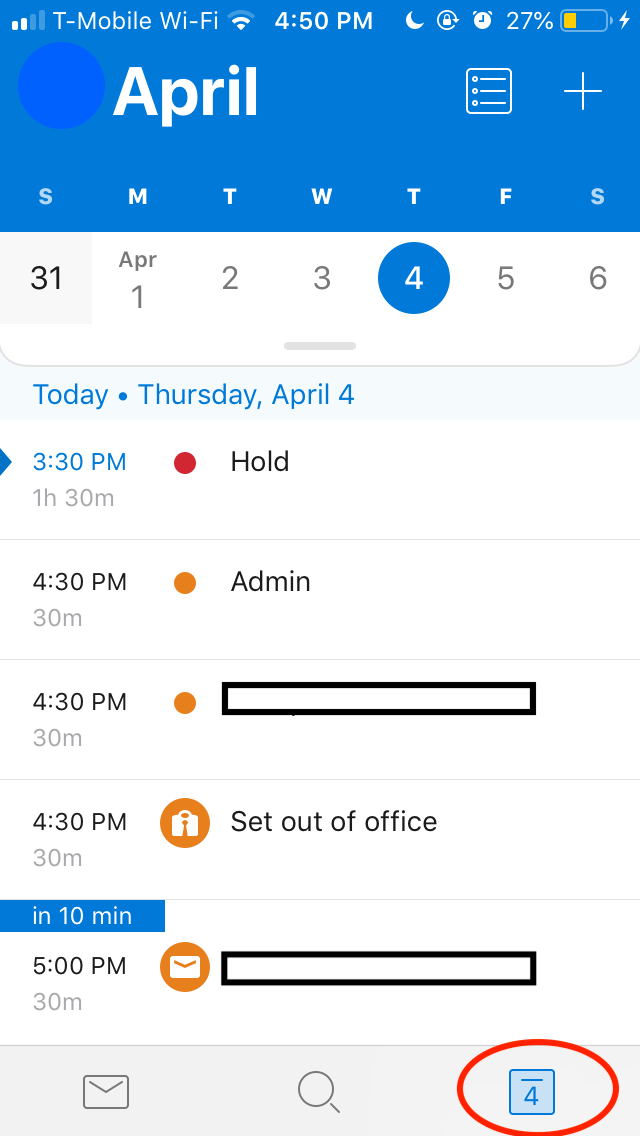
Add A Shared Calendar In Outlook
Download the microsoft outlook app from. Tap calendar accounts, then either select an existing account or tap add account. Adding outlook calendar to your iphone is a straightforward process that requires just a few steps. Synchronizing your microsoft outlook calendar with your iphone can help you stay organized while you're on the go. Go to calendar → accounts.

Add Outlook To Iphone Calendar Ardys Brittne
Use the new password when logging into outlook on the iphone. If you’re an apple user and want to sync your outlook calendar with your apple calendar, this is the article for you. Follow the steps below to sync your outlook calendar with your iphone: You'll need to download the microsoft outlook. Synchronizing your microsoft outlook calendar with your iphone can help you stay organized while you're on the go.

Add Calendar To Outlook Iphone Clare Desirae
If you want to add your outlook calendar to your iphone, there are two ways to do so. To sync your work calendar from outlook to your personal iphone calendar, please follow these steps: To connect your outlook calendar to your iphone, you can add an outlook account to your iphone's calendar app. A guide to easy syncing via settings, touchcopy, or itunes.

How Add Outlook Calendar To Iphone Nesta Adelaide
After completing these steps, your outlook calendar will now be accessible through the iphone’s native calendar app. By following these steps, you can easily set up your outlook calendar and. To sync your work calendar from outlook to your personal iphone calendar, please follow these steps: Learn how to sync outlook calendar with your iphone and add your outlook calendar to your iphone.
Icloud Calendar
If you’re an apple user and want to sync your outlook calendar with your apple calendar, this is the article for you. Here's how to get up and running. Scroll down to apps, then tap calendar. Let’s explore the ins and outs of syncing outlook calendar.
After Completing These Steps
Download the microsoft outlook app from. You'll need to download the microsoft outlook. There are a few different ways that you can sync your outlook calendar with your iphone. Syncing your iphone calendar with outlook will allow you to view and manage your calendar events from both your phone and your computer.
One Option Is To Download The Free Microsoft Outlook
In this article, we’ll teach you how to easily sync your. Synchronizing your microsoft outlook calendar with your iphone can help you stay organized while you're on the go. Sync icloud calendar to outlook. To connect your outlook calendar to your iphone, you can add an outlook account to your iphone's calendar app.
This Is Particularly Useful For Those
Learn how to sync outlook calendar with your iphone and add your outlook calendar to your iphone. Whether you add an event from your iphone, mac, or even your apple watch, it updates instantly. If you plan to use an iphone with your microsoft services, you'll want to set up your outlook calendars. In this article, we’ll walk you through the process of syncing your outlook calendar to your iphone, highlighting the key steps and important considerations.