 National Holiday Calendar
How To Delete Calendar From Icloud - Scroll down and tap delete calendar. confirm your action when prompted. Select all the photos or videos you want to delete. If you’re asked if you’re sure you want to delete the. If you invited anyone to the event or if it belongs to a shared. You will see a list of your calendars in the sidebar on the left side of the page. Scroll down to find “accounts & passwords”.
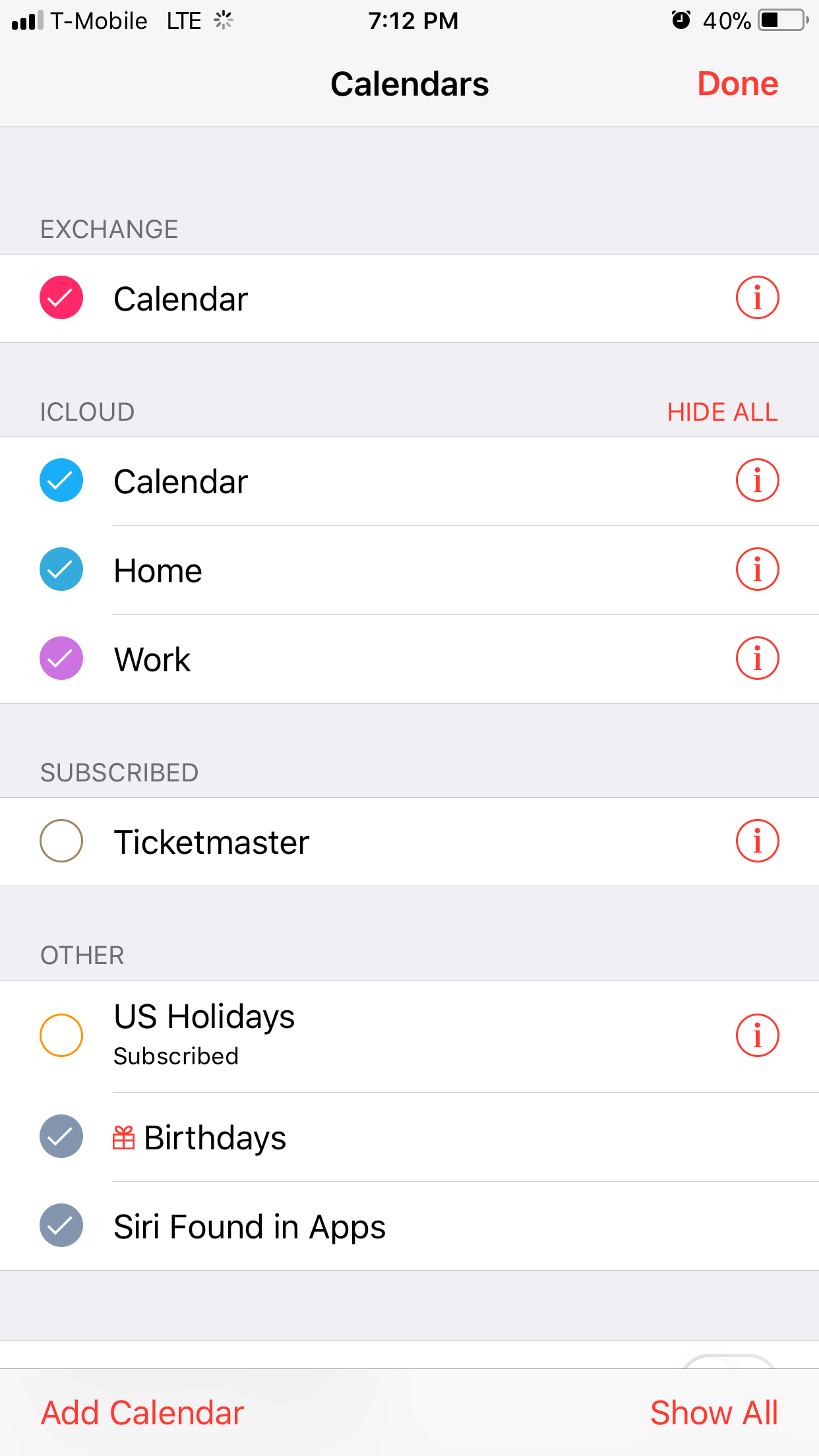
How To Delete A Calendar Printable Template Calendar
Go to albums > recently deleted and permanently remove them. Hold your pointer over the calendar you want to delete in the sidebar. Steps to create an alias: Can i delete my calendar from icloud? Tap “subscribed calendars” under “accounts”.

How To Delete Calendar Data Adel Nataline
If you invited anyone to the event or if it belongs to a shared. Unlock your iphone and launch the calendar app from the home screen. If you’re asked if you’re sure you want to delete the. How to delete pictures from icloud. Here's how to delete them manually.

How To Delete A Calendar On Iphone
This includes emails, contacts, and calendars associated with that account. If you’re asked if you’re sure you want to delete the. Sign in to your outlook.com account.. Tap on ‘calendars’ at the bottom of the screen to see all your subscribed, shared, and added calendars. Click edit below the sidebar.

How To Delete A Calendar On Iphone
Select edit from the dropdown menu. Some system apps such as apple notes, messages, calendar, and reminders rely on icloud for syncing,. Select the reminder and press the delete key to remove it. Select the calendar you want to delete from the list. So, if you find the icloud calendar of no use, you can delete it on your iphone by following the steps below.

Simple Ways To Delete A Google Calendar 10 Steps
Tap on the icon (usually an i or a color dot next to the calendar name). Click the delete button to the right of the calendar’s name, then click delete. On your iphone's home screen, locate the calendar app and tap to open it. You can remove icloud calendars as well as google, yahoo, and any other calendars you may have added to your phone.
Tap The Trash Bin Icon > Delete
Select the calendar you want to delete from the list. Tap i next to a calendar, and then tap delete calendar. Select an existing reminder to change its text and add notes. Keep in mind that this will remove the calendar from all devices that sync with your icloud account.
Choose The Calendar You Want To Clear
You can also tap hide all to temporarily hide entries. If you don't use a particular calendar, or you simply wish to declutter your calendar list, it's easy to delete calendars on an iphone. Delete an event you own: Scroll down to the remove from apple id section.
At The Bottom Of Your Screen
Click edit below the sidebar. Go to icloud.com/calendar, sign in to your apple account (if necessary), then do any of the following: Select edit from the dropdown menu. You’re experiencing technical issues with your icloud calendar and want to start fresh.
Go To Albums > Recently Deleted And Permanently Remove
Can i delete my calendar from icloud? Tap on the icon (usually an i or a color dot next to the calendar name). Scroll down and tap delete calendar. confirm your action when prompted. Select all the photos or videos you want to delete.