 National Holiday Calendar
Private Outlook Calendar - Can view when i’m busy. In the tags group, select private. You have five levels of permissions to choose from: Using the calendar settings or delegate access. Click the permissions tab and in the list. To make all appointments private by default in outlook 365 agenda, you can follow these steps and set your email sensitivity private, this will allow all new calendar appointments.

Private On Outlook Calendar Eliza Bethblack
By following these steps, you can protect your schedule and maintain confidentiality. To do that, open outlook’s calendar view. Require multifactor authentication for all services, particularly for webmail, virtual private networks, and accounts that access critical systems. Change it to private. this will hide the details of the event from others. With the private option, you can hide calendar appointments, events, and task details from other users.

Outlook Calendar Private Appointment Missy Teirtza
To do that, open outlook’s calendar view. Can view when i’m busy. With the private option, you can hide calendar appointments, events, and task details from other users. On the event tab, select private. Making appointments private in outlook 365 is a great way to ensure that only the person designated to be the approver or the person with the right permissions has access to.

Outlook Private Team Calendar Acetomoms
By following the steps outlined in this article, you can. By following these steps, you can protect your schedule and maintain confidentiality. Select the calendar you want to hide. To do that, open outlook’s calendar view. Steps to make a meeting private in outlook:
Private Appointment Outlook Shared Calendar Vin Lilias
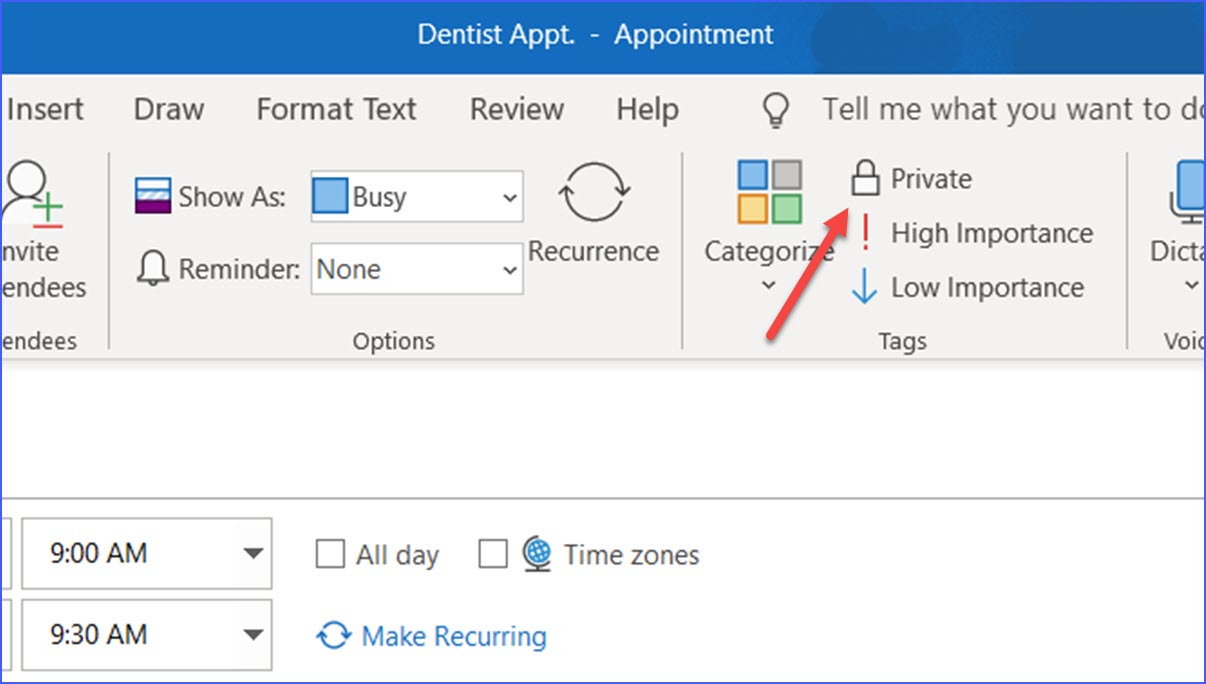
Making your outlook calendar private is a simple and effective way to protect your schedule and maintain confidentiality. Steps to make a meeting private in outlook: Using the calendar settings or delegate access. In the tags group, select private. Select the calendar you want to hide.

How To Make Outlook Calendar Private Hide Calendar Details
At the bottom of the navigation pane, click calendar. By following the steps outlined in this article, you can. By following these steps, you. Can view when i’m busy. Using the calendar settings or delegate access.
Outlook Provides Two Methods To Make Your Calendar Private
Making your calendar private in outlook is a straightforward process. To create a private appointment in outlook calendar: Open outlook calendar, create a new meeting, and set the meeting as private. Using the calendar settings or delegate access.
Calendar Settings
By following the steps outlined in this article,. No desktop or web version. This ensures that only participants with permission. To do that, open outlook’s calendar view.
If One Of You Prefers Google Calendar Or Outlook
By following the steps outlined in this article, you can. Require multifactor authentication for all services, particularly for webmail, virtual private networks, and accounts that access critical systems. Learn how to protect your privacy in outlook calendar with detailed guides on hiding calendar details, making meetings private, and using virto calendar app. The details will be visible to only you and the meeting attendees.
Shared Calendar In Outlook
In the tags group, select private. Steps to make a meeting private in outlook: To make all appointments private by default in outlook 365 agenda, you can follow these steps and set your email sensitivity private, this will allow all new calendar appointments. Select the calendar you want to hide.