 National Holiday Calendar
Share Tasks Google Calendar - Go to the google tasks website or open the google. Sharing a google task list is a simple process that can greatly improve collaboration, accountability, and productivity. Sharing your google calendar is a great way to keep others informed about your schedule. Share a series of tasks. This is usually not an issue, but it’s good to check that your calendar is set to. Click on the calendar icon:

Tasks On Google Calendar Linzy Phaidra
In google calendar, you can create, view, and change tasks. There's no way to natively share google tasks with another person. To share tasks on a shared calendar, follow these steps: Visit the help center to learn more about sharing your calendar with someone. Sharing your google calendar is a great way to keep others informed about your schedule.

Share Google Calendar Android Printable Word Searches
Hello bielmann, you can share your google tasks using tasksboard. On your computer, open google calendar. There's no way to natively share google tasks with another person. There are several ways to share google tasks, including: To share google calendar tasks, follow these simple steps:

How To Show Tasks In Google Calendar Jobie Lynelle
Click on the calendar icon: To share a task list, follow these steps: In this article, we will explore the different ways to share tasks in google calendar, including how to share tasks with others, how to invite people to events, and how to manage. When it comes to sharing task lists, several essential features stand out: Learn about shared tasks in chat.

How To Add Tasks To Google Calendar
On your computer, open google calendar. Click on the calendar icon: To share a task list, follow these steps: Onecal is an appointment scheduling app that. Shared tasks go into your default list in tasks, but you can move.
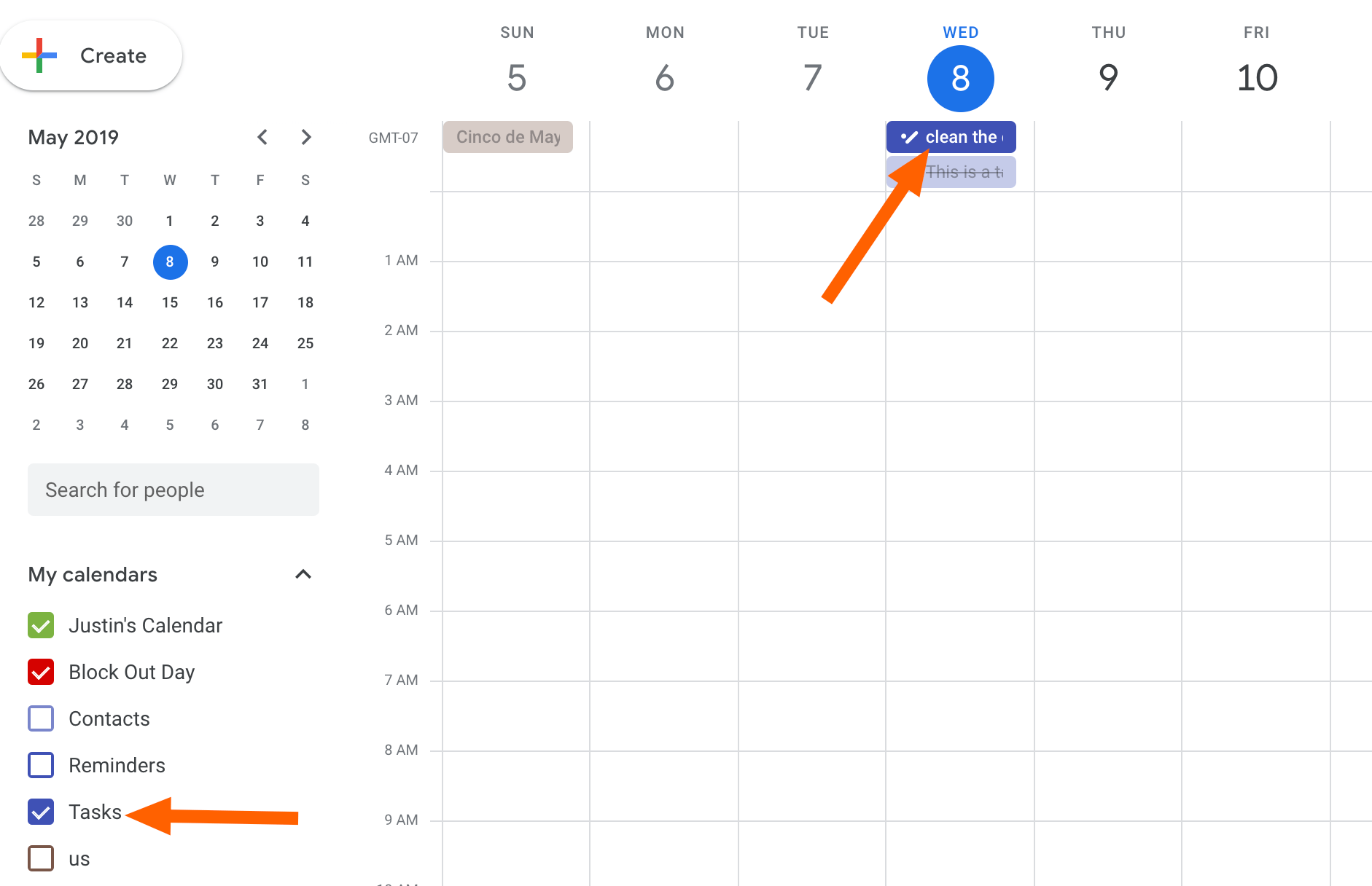
How To Share Google Calendar Tasks Joly Roxana
There's no way to natively share google tasks with another person. Learn about shared tasks in chat. Onecal is an appointment scheduling app that. Just open the option menu of the list you want to share and. One of the most useful features of google calendar is the ability to share tasks with others.
There Are Several Ways To Share Google Tasks, Including
Sharing your google calendar is a great way to keep others informed about your schedule. Sharing tasks on google calendar allows you to: In this article, we will explore how to share tasks in google calendar, including. Just open the option menu of the list you want to share and.
Only You Can View Your Tasks In Google Calendar
Sharing a google task list is a simple process that can greatly improve collaboration, accountability, and productivity. In google calendar, you can create, view, and change tasks. You'll need to approach their support. By following the steps outlined in this article, you.
Onecal Is An Appointment Scheduling App That
You can create and assign a shared task in: This is usually not an issue, but it’s good to check that your calendar is set to. If you’re looking for more flexibility, onecal is a great alternative. Go to the google tasks website or open the google.
Yes, You Can Share Tasks In Google Calendar
Learn how to share tasks on google calendar in just a few clicks with our simple step by step guide. Sharing google calendar availability using onecal. Google docs for eligible google workspace plans. Make sure your google calendar is set to accept entries from external sources.