 National Holiday Calendar
Sharing A Calendar In Outlook - If you are connected to a public network location (ex: Printer sharing allows you to make an attached printer available to other computer users on the network. Sharing content in drive with people outside your organization can be an important collaboration process, but it also carries risk of data leaks. To let others use your google one storage space, try google one family sharing. Google drive google docs google sheets google slides open or select the file or folder. Viewers and commenters from downloading, printing, or copying files.
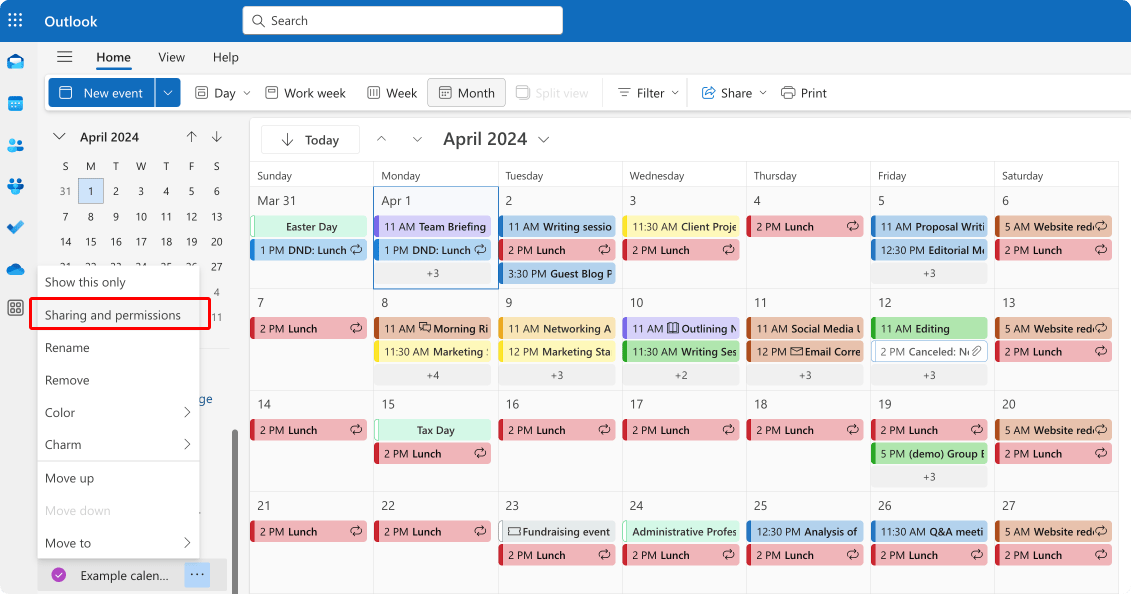
How To Create Shared Calendar In Outlook Stepbystep Guide
All members of a google one family plan can find how much shared storage they use. If you want to share a calendar that someone else owns, that person must give you the “make changes and manage sharing” permission. You can share photos, videos, albums, and highlight videos with any of your contacts, even if they don't use the google photos app.

How To Create A Shared Calendar In Outlook
Google drive google docs google sheets google slides open or select the file or folder. Users\username folder visible on networked computers (solved) this is a home network with all the attached pcs network profiles set to private. Editors from changing permissions or sharing files. Share your calendar with people or groups important: Viewers and commenters from downloading, printing, or copying files.

How To Create A Shared Calendar In Outlook
All members of a google one family plan can find how much shared storage they use. You can share photos, videos, albums, and highlight videos with any of your contacts, even if they don't use the google photos app. If you want to share a calendar that someone else owns, that person must give you the “make changes and manage sharing” permission.

How To Create Shared Calendar In Outlook Stepbystep Guide
File sharing over a network in windows 10 allows you to share files and folders on your computer with other users over a private or public network in your workgroup or domain. Viewers and commenters from downloading, printing, or copying files. Through advanced sharing settings, owners can prevent: Users\username folder visible on networked computers (solved) this is a home network with all the attached pcs network profiles set to private.

How To Share Outlook Calendar (3 Methods)
Viewers and commenters from downloading, printing, or copying files. Share your calendar with people or groups important: Sharing content in drive with people outside your organization can be an important collaboration process, but it also carries risk of data leaks. If you turn on external sharing, you have options to limit. All members of a google one family plan can find how much shared storage they use.
Share Your Calendar With People Or Groups Important
Share photos & videos in a conversation If you are connected to a public network location (ex: If you turn on external sharing, you have options to limit. File sharing over a network in windows 10 allows you to share files and folders on your computer with other users over a private or public network in your workgroup or domain.
To Let Others Use Your Google One Storage Space
Unshare a document stop sharing a document you own find the file or folder in: Printer sharing allows you to make an attached printer available to other computer users on the network. Editors from changing permissions or sharing files. All members of a google one family plan can find how much shared storage they use.
Share A Calendar
Users\username folder visible on networked computers (solved) this is a home network with all the attached pcs network profiles set to private. Viewers and commenters from downloading, printing, or copying files. Café or library), then you may. Through advanced sharing settings, owners can prevent:
Sharing Content In Drive With People Outside Your Organization
Google drive google docs google sheets google slides open or select the file or folder. You can share photos, videos, albums, and highlight videos with any of your contacts, even if they don't use the google photos app.