 National Holiday Calendar
Sync Icloud And Google Calendar - Enable calendar sync on icloud: Premium features require a subscription. In this article, we’ll guide you through the process of syncing your icloud calendar with your google calendar. There are a few ways to sync your icloud and google calendar: On the accounts tab, use refresh calendars to choose how often you want apple calendar and google calendar to sync. The official icloud app for windows pc allows you to.

How To Sync Google Calendar With Apple Calendar
Syncing icloud to google calendar is a straightforward process that can help you manage your schedule and stay organized. You’d have to make your icloud calendar public, grab its url, paste it. To connect your apple calendar with your google calendar, follow these simple steps: Trying to figure out how to sync your google and apple calendars used to be an excruciating process.
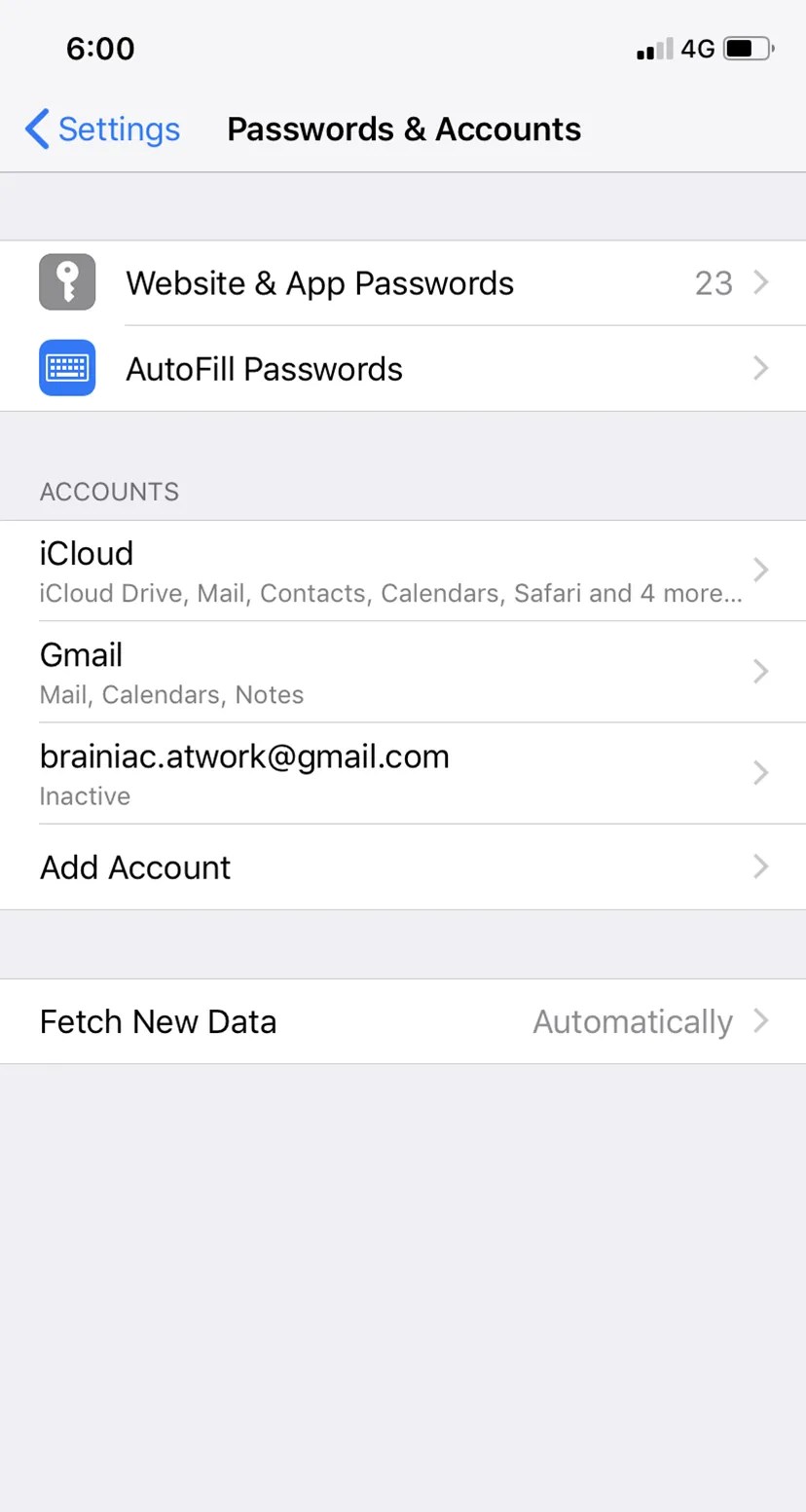
How To Sync Google Calendar With Your Iphone
Using icloud and google calendar. This is a convenient way to manage your schedules and events from both platforms. 1) when i add/edit events on my icalendar app on my iphone these do not appear on the google calendar. In this article, we’ll guide you through the process of syncing your icloud calendar with your google calendar. We'll walk you through how to sync google calendar to the iphone calendar app for simpler scheduling.

How To Sync Icloud Calendar With Google Calendar
Enable calendar sync on icloud: Syncing icloud to google calendar is a straightforward process that can help you manage your schedule and stay organized. There are several methods available to link your apple calendar with google calendar. Log in to your google calendar account. In this guide, we will walk you through the process of setting up icloud calendar, exporting your icloud events, importing them into google calendar, and syncing the two.

Sync Icloud Calendar With Google Using Syncgene
Open the settings app on your iphone or ipad. Whether you’re using your iphone, ipad, mac, or pc, you can easily view and. We'll walk you through how to sync google calendar to the iphone calendar app for simpler scheduling. The answer is yes, you can sync your icloud calendar with google calendar. The official icloud app for windows pc allows you to.

How To Sync Google Calendar With Apple Calendar
In this article, we’ll guide you through the process of syncing your icloud calendar with your google calendar. Trying to figure out how to sync your google and apple calendars used to be an excruciating process. The official icloud app for windows pc allows you to. Your mac will now ask what google apps you want to sync. Enable calendar sync on icloud:.
Syncing Icloud To Google Calendar Is A Straightforward Process
There are several methods available to link your apple calendar with google calendar. Log in to your google calendar account. 1) when i add/edit events on my icalendar app on my iphone these do not appear on the google calendar. Icloud vs google drive pricing and refunds.
My Apple Calendar Is No Longer Syncing With Google
This is a convenient way to manage your schedules and events from both platforms. You’d have to make your icloud calendar public, grab its url, paste it. You can sync it with icloud, google calendar, and microsoft exchange, among other services, ensuring all your appointments and events are synced seamlessly across platforms. By syncing your google calendar with icloud, you can:
This Is What Prompts Gmail To Allow Your Emails
To connect your apple calendar with your google calendar, follow these simple steps: Sync your family member calendars with calendarbridge. Learn how to access, download, add, and remove files and folders saved to apple icloud drive on your windows computer. On the accounts tab, use refresh calendars to choose how often you want apple calendar and google calendar to sync.
Regardless Of What Apple Does To Upgrade The Calendar
Premium features require a subscription. We’ll walk you through the steps for each method so that you can choose the one. Open the settings app on your iphone or ipad. The app is features natural language parsing, reminder integration, and even a dashboard to easily see an overview of your events.