 TikTok Trend Analysis
How To Delete All Comments On Tiktok - To start filtering your comments, head over to your profile. In this video, we’ll walk you through the steps to delete your past comments on tiktok, whether it’s one specif. Deleting your comment history on tiktok is a relatively simple process. Mark the comments you wish to delete, whether they’re. How to see comments history on tiktok | how to view your all tiktok comments (easy method)in this video i'll show you how to see comments history on tiktok. Delete comments one by one.

Tiktok How To Delete A Tiktok Now Post
Navigating to your profile 3. Deleting all your comments on tiktok in one go is a straightforward process. Then select the hamburger menu at the top right and select “settings and privacy.” select “privacy,” and under. Open the tiktok app on your mobile. Open the tiktok app on your.

How To Delete Comments On Tiktok Guide)
We'll show you easy ways to delete comments on tiktok and teach you how to use filters to limit future problematic comments. Mark the comments you wish to delete, whether they’re. Follow these simple steps to manage and clear your comments for a cleaner profile. How to see comments history on tiktok | how to view your all tiktok comments (easy method)in this video i'll show you how to see comments history on tiktok.

How To Delete Your Comments On Tiktok Techcult
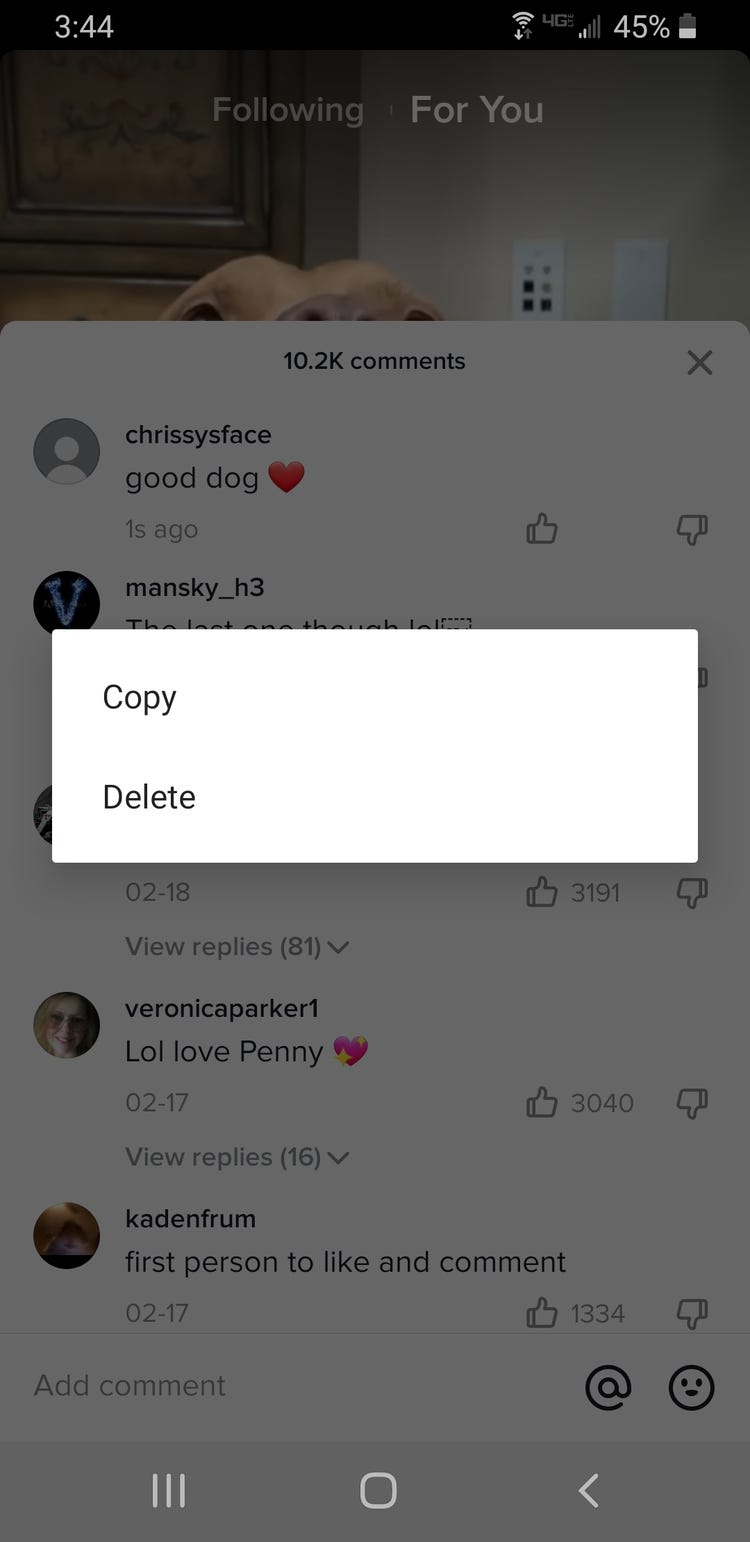
Deleting your comment history on tiktok is a relatively simple process. Login to your tiktok account and open up the video in which you want to delete the comment. Navigating to your profile 3. First, log in to your tiktok account using your username and password. How to delete your comments on tiktok?
How To Delete Comments On Tiktok Zeru
Here are the steps to follow: Locate the video on the tiktok app and tap the comment icon. Opening the tiktok app 2. Delete comments through the tiktok app. Many of the american users they had joined as an act of.

How To Delete A Tiktok Story (2023)
“learn the quickest method to remove all reposts at once on tiktok without any hassle! Here are the steps to follow: Locate the video on the tiktok app and tap the comment icon. Login to your tiktok account and open up the video in which you want to delete the comment. As of wednesday, the hashtag “tiktok refugee” had garnered nearly 250 million views and over 5.5 million comments.
Deleting All Your Tiktok Comments Can Be A Liberating
Want to clear your comment history on tiktok? As of wednesday, the hashtag “tiktok refugee” had garnered nearly 250 million views and over 5.5 million comments. To start filtering your comments, head over to your profile. Pretty sure that's not possible.
How To See Comments History On Tiktok | How
Then select the hamburger menu at the top right and select “settings and privacy.” select “privacy,” and under. You can delete them individually under comment history. Login to your tiktok account and open up the video in which you want to delete the comment. Delete comments one by one.
Mark The Comments You Wish To Delete, Whether They’re
Launch the tiktok app on your mobile device. Deleting all your comments on tiktok in one go is a straightforward process. Tap on settings from the menu. If you have commented on any post on tiktok and now want to delete it, follow the upcoming steps.
Follow These Simple Steps To Manage And Clear
We'll show you easy ways to delete comments on tiktok and teach you how to use filters to limit future problematic comments. Tap the slider preferences icon next to the ‘x’ button. Navigating to your profile 3. Open the tiktok app on your mobile device.